15
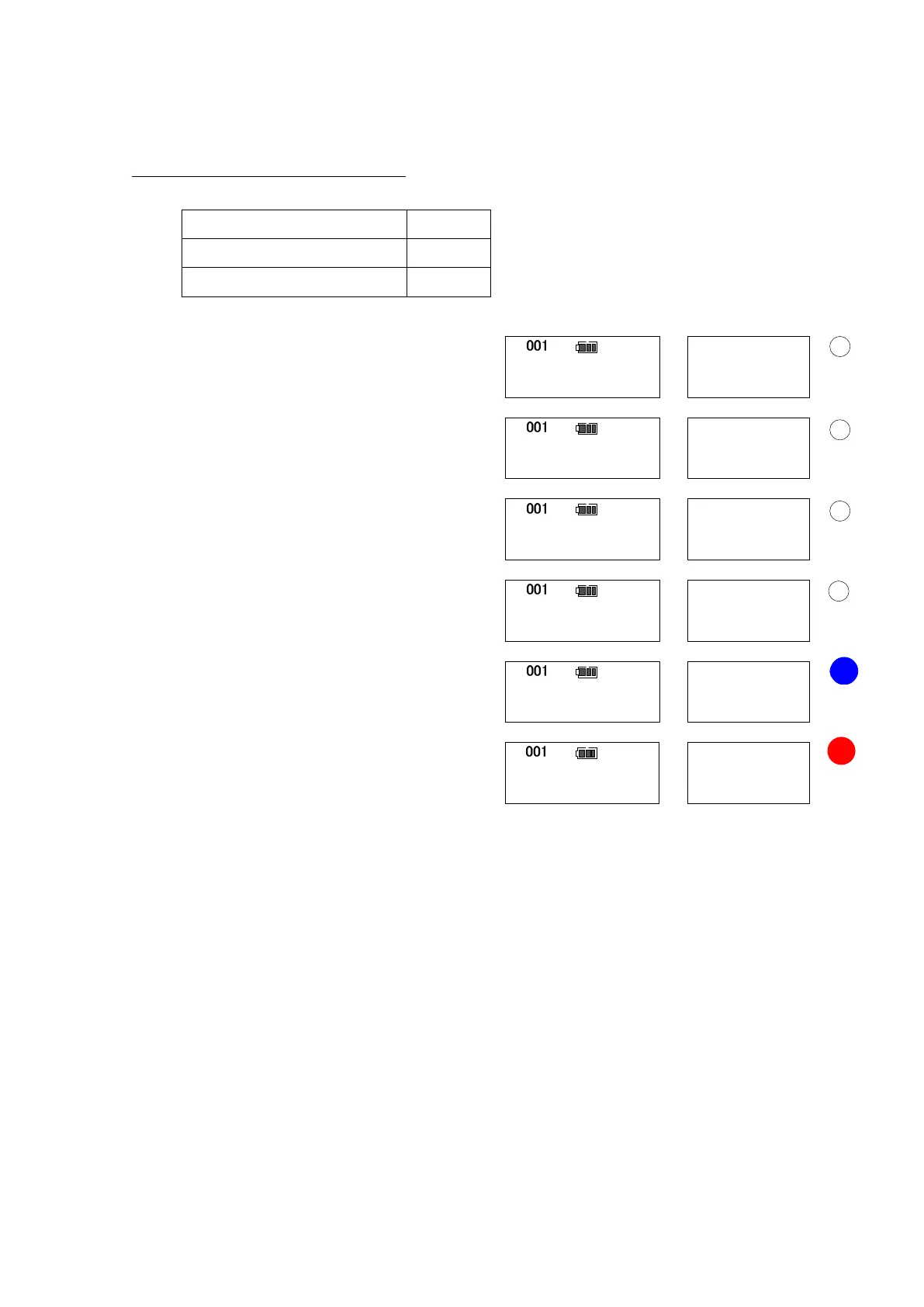
(3) Tightening operation (example)
Below instructions show an operation flow for tightening at the following values.
Snug torque 30 N・m
Tightening angle setting 90 deg
Tightening angle upper limit 95 deg
Tighten up to the snug torque.
Upon reaching the snug torque, the buzzer
goes off for 0.5 seconds and the angle
measurement starts.
When it reaches 20 degrees before the set angle,
the buzzer starts to sound on and off
continuously (the buzzer will not sound if the set
angle is below 20 degrees).
Upon reaching the set tightening angle, the
buzzer goes off and the blue LED turns on.
If tightening exceeds the upper limit, another
buzzer goes off and red LED turns on.
After releasing loading, press MEM key to make judgment to see whether the tightened
torque/angle is within set range (The judgment is conducted automatically when auto
memory/reset is set).
・In case of OK: It saves the measured data and proceed to the next counter.
・In case of NG: It inform by the buzzer alarming and the red LED.
Press MEM key again to save this measured data and proceed to the next counter.
If you would like to delete the data, press C key.
0
90
青
Angle
deg
deg
0.0
Counter
N・m
N・m
100.0
0
deg
N・m
30.0
1
deg
N・m
31.0
70
deg
N・m
80.0
100
deg
N・m
120.0
赤
Blink
Torque
Red
Blink
Blue


 To Next Page