14
7. How to use
Single-spindle tightening mode(MODE-S, original CTA function)
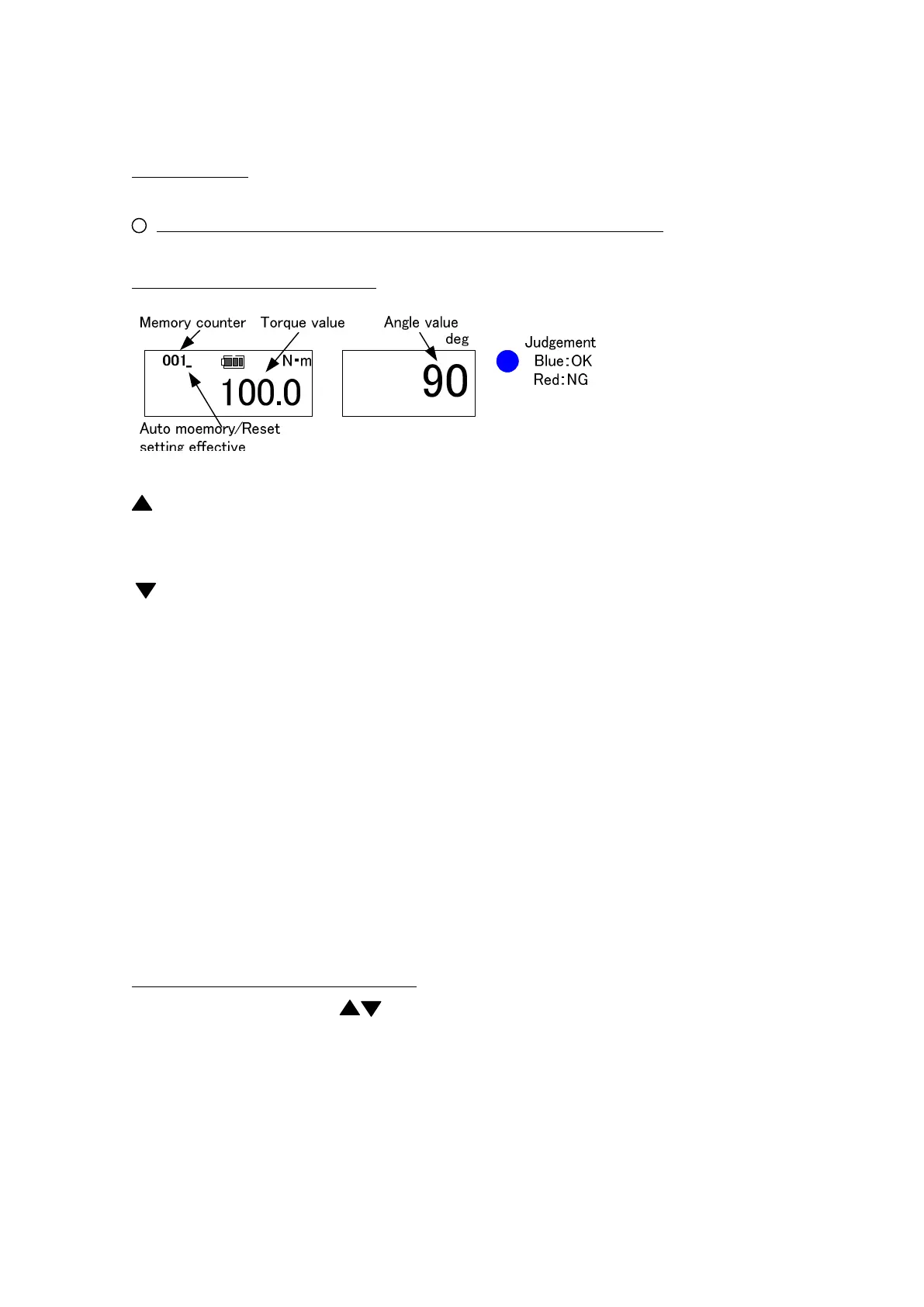
(1) Basic operation and display
Counter Send Key: Sends a counter one by one or continuously to read out
measured data. Keep it pressed to send it by 10 (fast-forward).
Counter Return Key: Reverses one counter or continuously to read out measured
data. Keep it pressed to send it by 10 (fast-forward)
MD Key: Press this key at PEAK mode to set it for external output.
Keep it pressed at RUN mode to set it for setting input.
MEM key: Saves the measured data and send the counter by one.
C key: Clears the measured data.
POWER key: Turn ON/OFF the power.
When it turns on, it conducts the angle speed check automatically,
therefore, keep it still for more than 1 second.
(2) Torque/Angle calibration method
Set the counter to 000 by key to set it to RUN mode.
Use a torque wrench tester for torque calibration, and the angle calibration machine
for angle calibration.


 To Next Page