24
● Data output
Press MEM key to complete tightening.
(If the communication cable is connected, it transfers
work data at the same time)
Memory counter proceeds to the next work of
tightening.
(5) Reading the measured data
Measured data cannot be read out on the display of CTA2-G itself. Transfer the data to PC or
printer to see the data.
(6) Output/Delete measured data
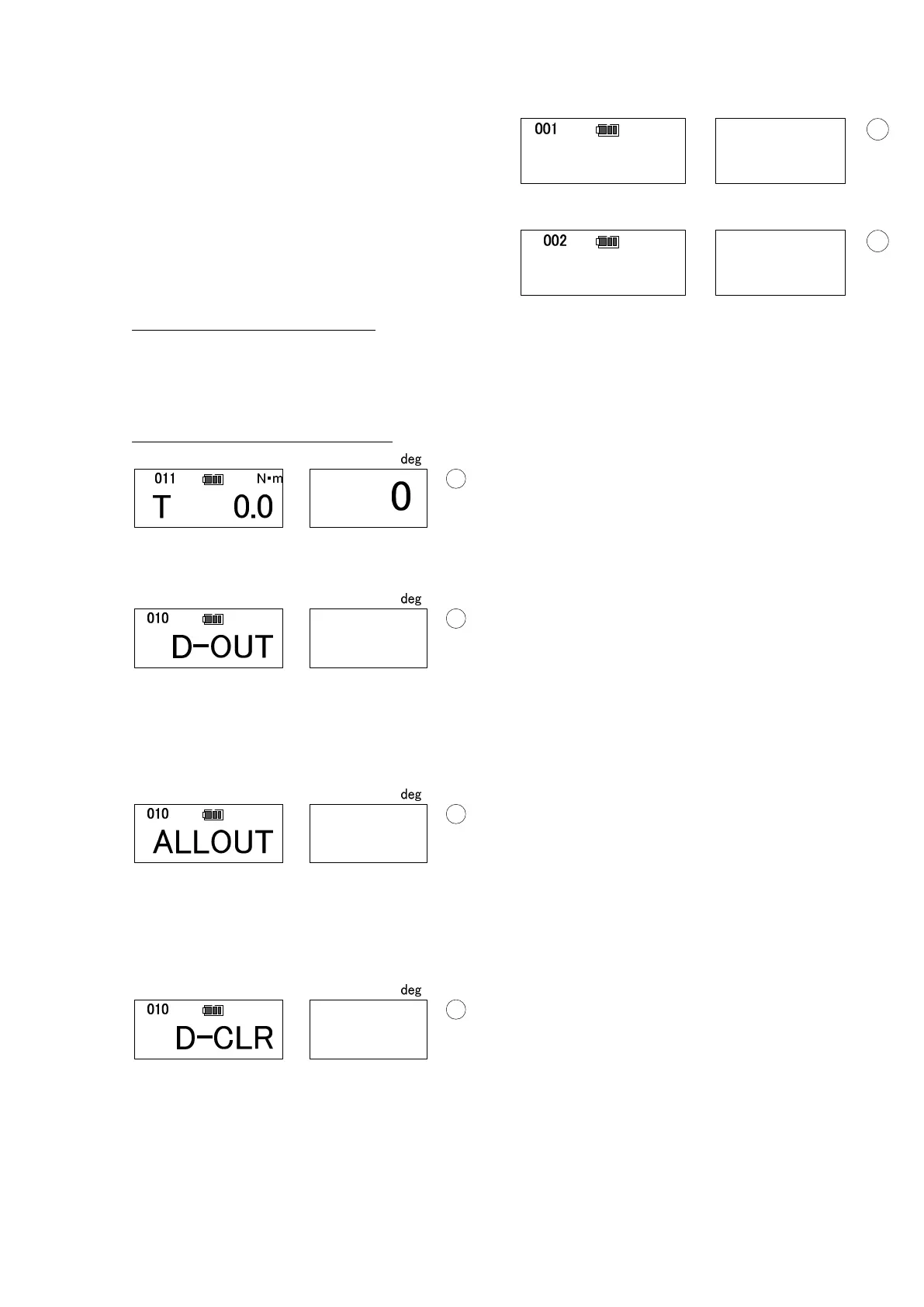
In PEAK mode, press MD key, then it turns to 1 work data output display (below).
Press MEM key to process the data output of the last tightened work.
Press MD key to turn to all data output display.
Press C key to return to measuring condition
Press MEM to process all data output.
Press MD to turn to 1 work data deletion display.
Press C key to return to measuring condition.
Press MD key and C key at the same time to process 1 work data deleting.
Press MD key to turn to all data deletion display.
Press C key to returns to measuring condition.
deg
D-OUT
T 0.0
deg
N・m


 To Next Page