@ToolkitRC 2023
Quick start
1,Connect the device to an AC100-240V or DC7-30V
power source.
2,The screen shows the boot logo for 2 seconds.
3,An audible tone will accompany the boot sequence.
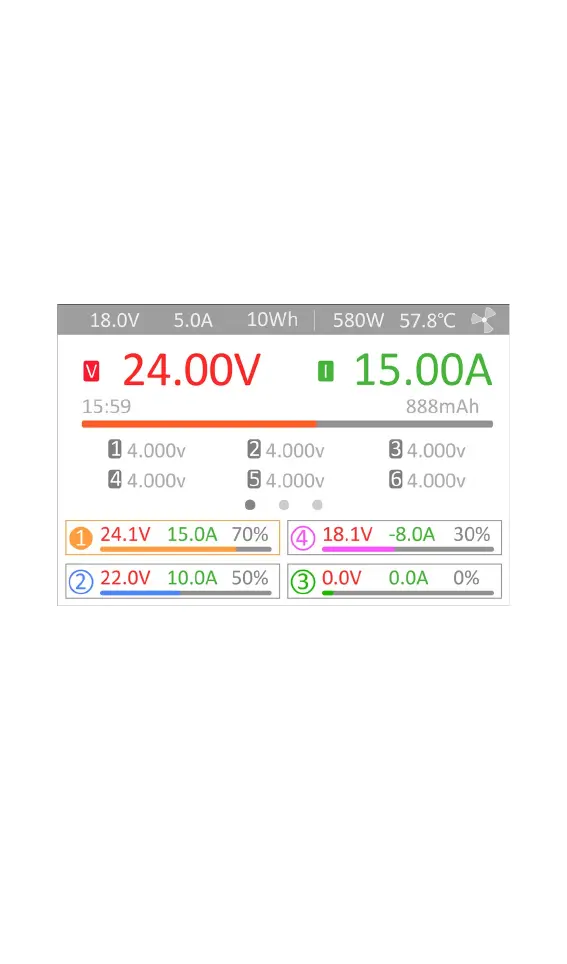
4,After booting up, the screen enters the main
interface as shown below:
5,short press [CH/Exit], the cursor will switch among
the four channels in sequence.
6,Scroll [Scroll Wheel] to switch to display the voltage
and internal resistance of the corresponding channel.
7,Short press [Scroll Wheel] to select the charging task
when the channel is idle. You can adjust and end the
charge when the channel is in progress.
8,Long press [Scroll Wheel] to enter the system setting
interface when all four channels are free.
9,Press [CH/Exit] to end the modification or return to



 To Next Page