Setup and Usage
3D-MC² Quick Reference Guide
1-38
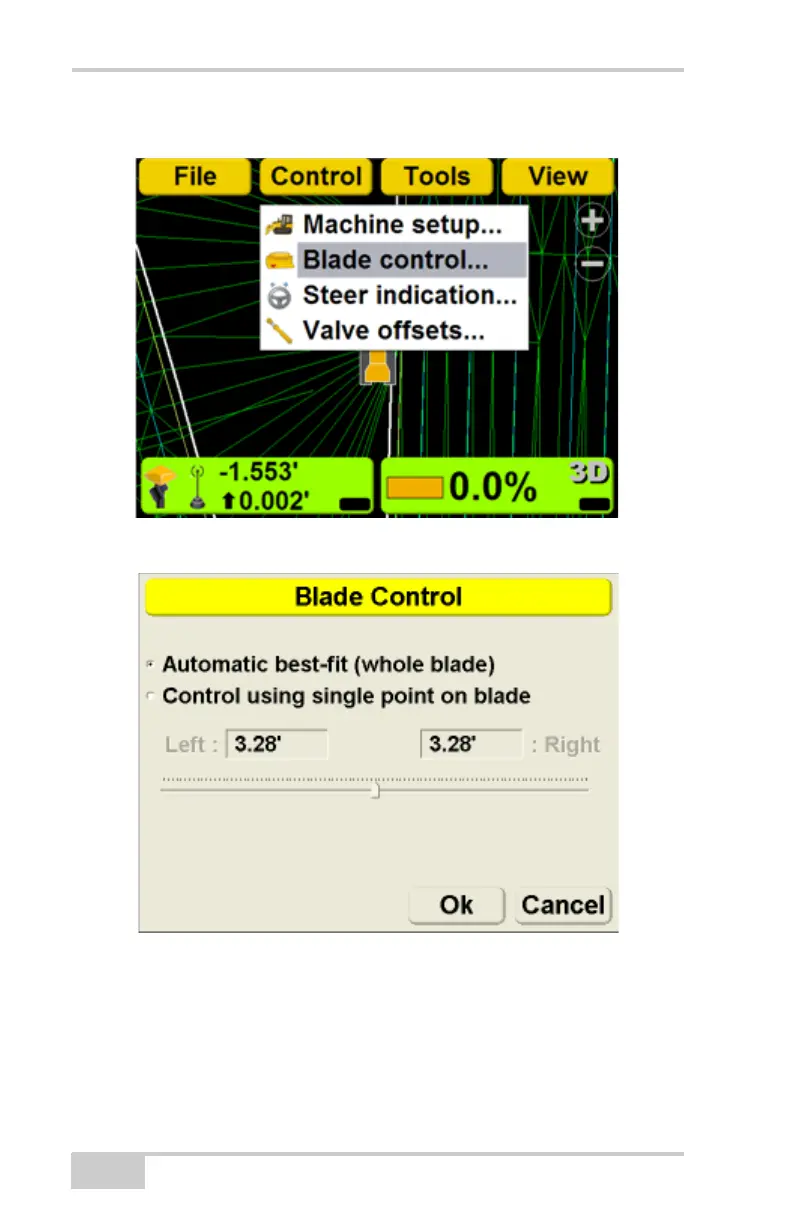
1. Press Topcon LogoControlBlade control.
2. Select Automatic best-fit (whole blade).
Control Using Single Point on Blade
In the Control using single point on blade method, the
user defines a point on the blade to use as the elevation
reference.



 To Next Page