Introduction
FC-2500 Quick Reference Guide
1-4
Keypad Controls
When using eyeWARE with a standard 55-key joystick keypad, use
the default control buttons on the left when taking pictures.??
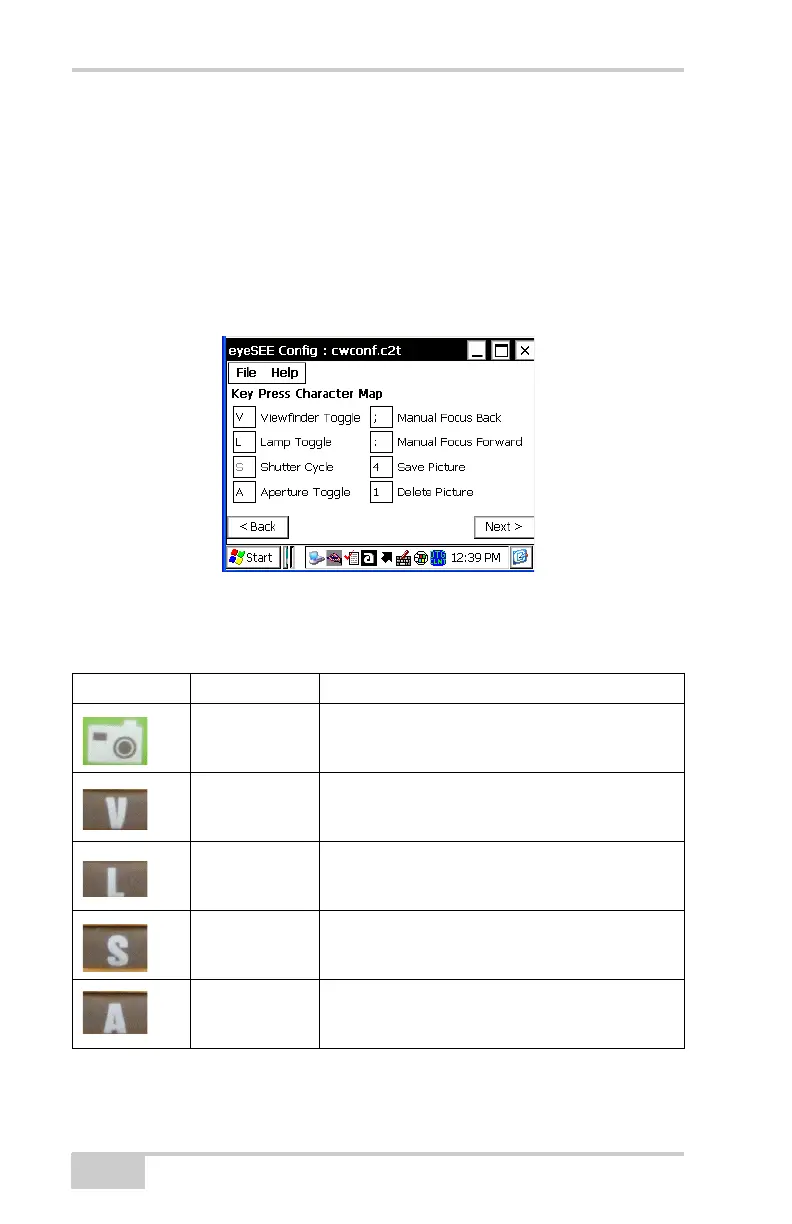
Keypads on the FC-2500 can vary. Consequently, not all the functions
listed in Figure 1-3 or in Table 1-1 on page 1-4 may work as
described. In addition, functions listed on certain keypads may
require you to write an application interface.
Figure 1-3. Key Press Character Map
Table 1-1 describes the buttons on the FC-2500 and their functions.
Table 1-1. FC-2500 Button Functions
Icon Name Function
Camera Takes a picture
V Viewfinder Toggle
(Turns the viewfinder on and off)
L Lamp Toggle
(Turns the lamp on and off)
S Shutter Toggle
(Changes the shutter cycle)
A Aperture Toggle
(Changes the aperture setting)



 To Next Page