Introduction
FC-2500 Quick Reference Guide
1-6
EyeSetup Menu
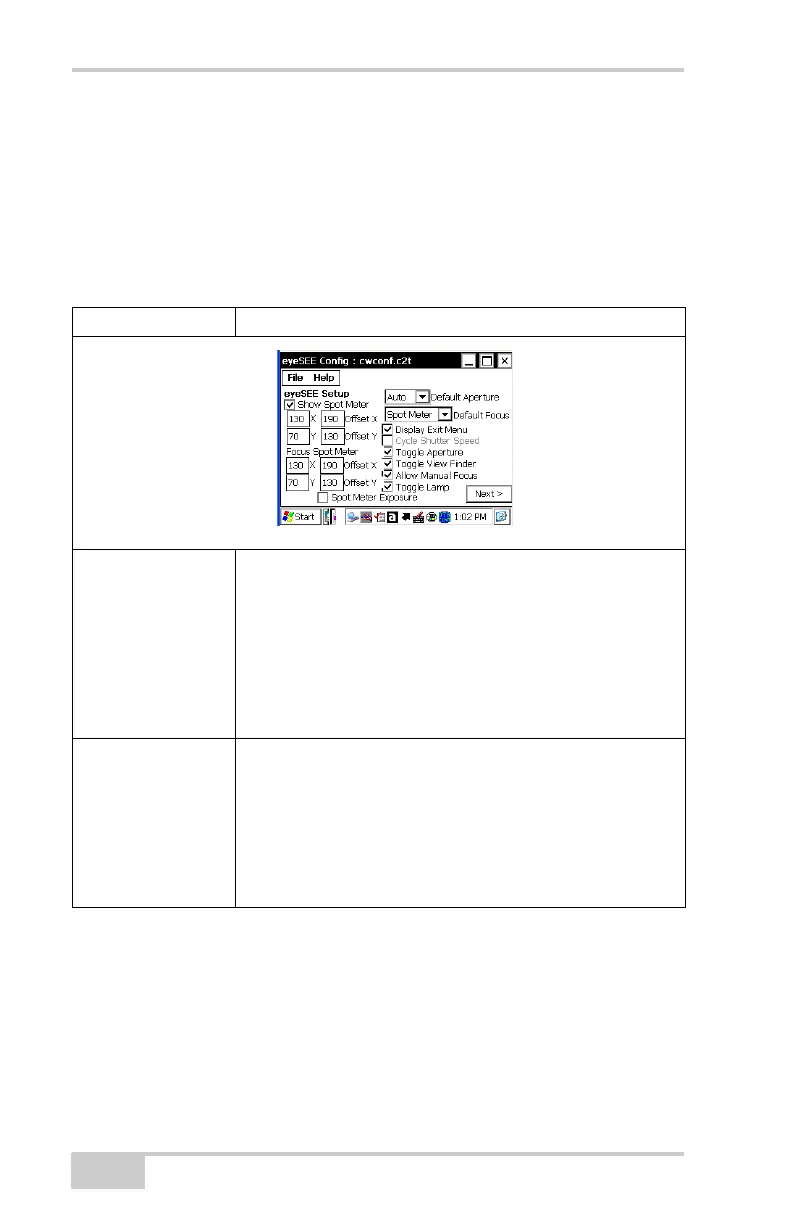
To display the eyeSETUP menu, tap StartProgramseyeWARE
eyesee setup. The eyeSEE Config screen displays. Table 1-2 on
page 1-6 describes the menus on the eyeSEE Config screen
(Figure 1-5, Figure 1-6 on page 1-7, and Figure 1-7 on page 1-7).
Table 1-2. eyeSETUP Menu
Menu Item Menu Option/Description
Figure 1-5. eyeSEE Config Options Screen
Aperture Settings FC-2500 has three aperture settings (Figure 1-5):
• Auto
• Large (F2.8)
• Small (F8.0)
The aperture diameter is expressed in f-stops. The lower the
number, the larger the aperture and the more light that
passes through to the sensor.
Spot Meter The viewfinder consists of nine equal sections when you
press the Camera button (Figure 1-5).
The FC-2500 uses the center section to measure the amount
of available light and to adjust the exposure accordingly
(this process is known as Spot Meter Exposure).
NOTE: Spot Meter can be enabled/disabled as required for
different scenarios.



 To Next Page