7. APPLIED OPERATION AND SETTING OF VARIOUS FUNCTIONS
32
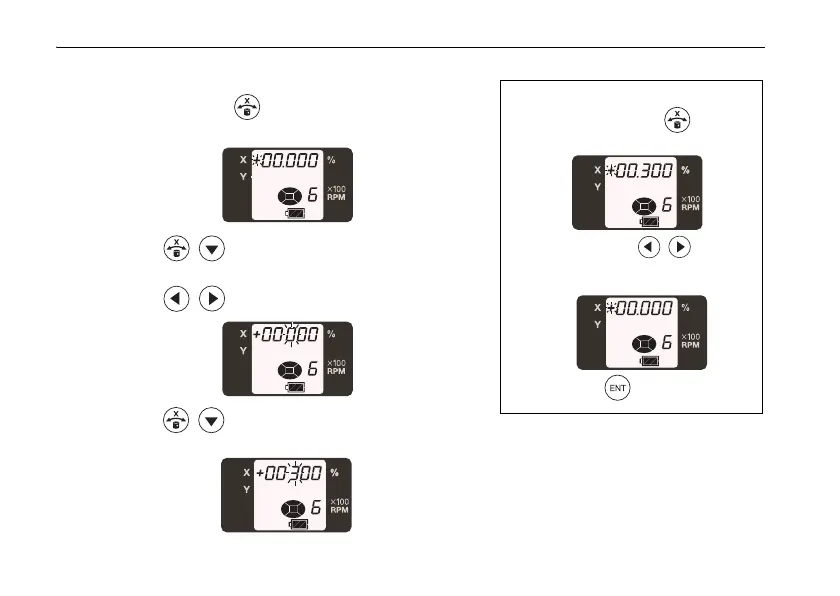
How to set grade
1
When pressing the key, the sign of X axis will
start flashing.
2 Press the keys and select the sign (plus or
minus).
3 Press the keys to change the digit position.
4 Press the keys to increase or decrease the
value of the digit.
Resetting the grade value
1 When pressing the key, the
sign of X axis will start flashing.
2 Press both the keys
simultaneously to reset the grade
value.
3 Press the key again to set 0%.



 To Next Page