7. APPLIED OPERATION AND SETTING OF VARIOUS FUNCTIONS
48
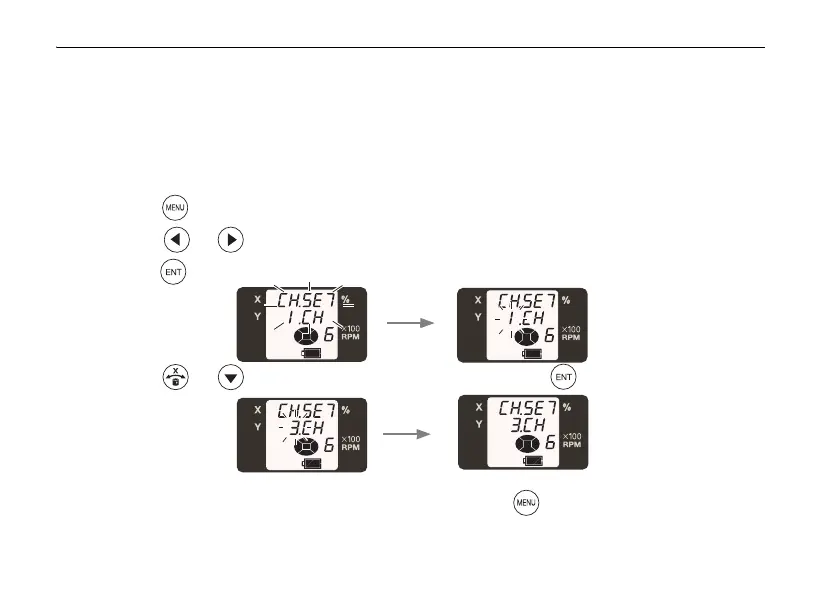
Setting channel
When more than one RL-SV1Ss is used at the same location, change the communication
channel to prevent interference.
• You may set the channel from 1 to 9.
1 Press the key to display the menu screen.
2 Press the or key to select the communication channel (CH.SET) setting, and
press the key.
3 Press the or key to select the channel and press the key. Setting is complete.
After setting, be sure to shift to other modes by pressing the key. The RL-SV1S and RC-50
cannot communicate with each other in the communication channel setting mode.



 To Next Page