20 Preference Settings
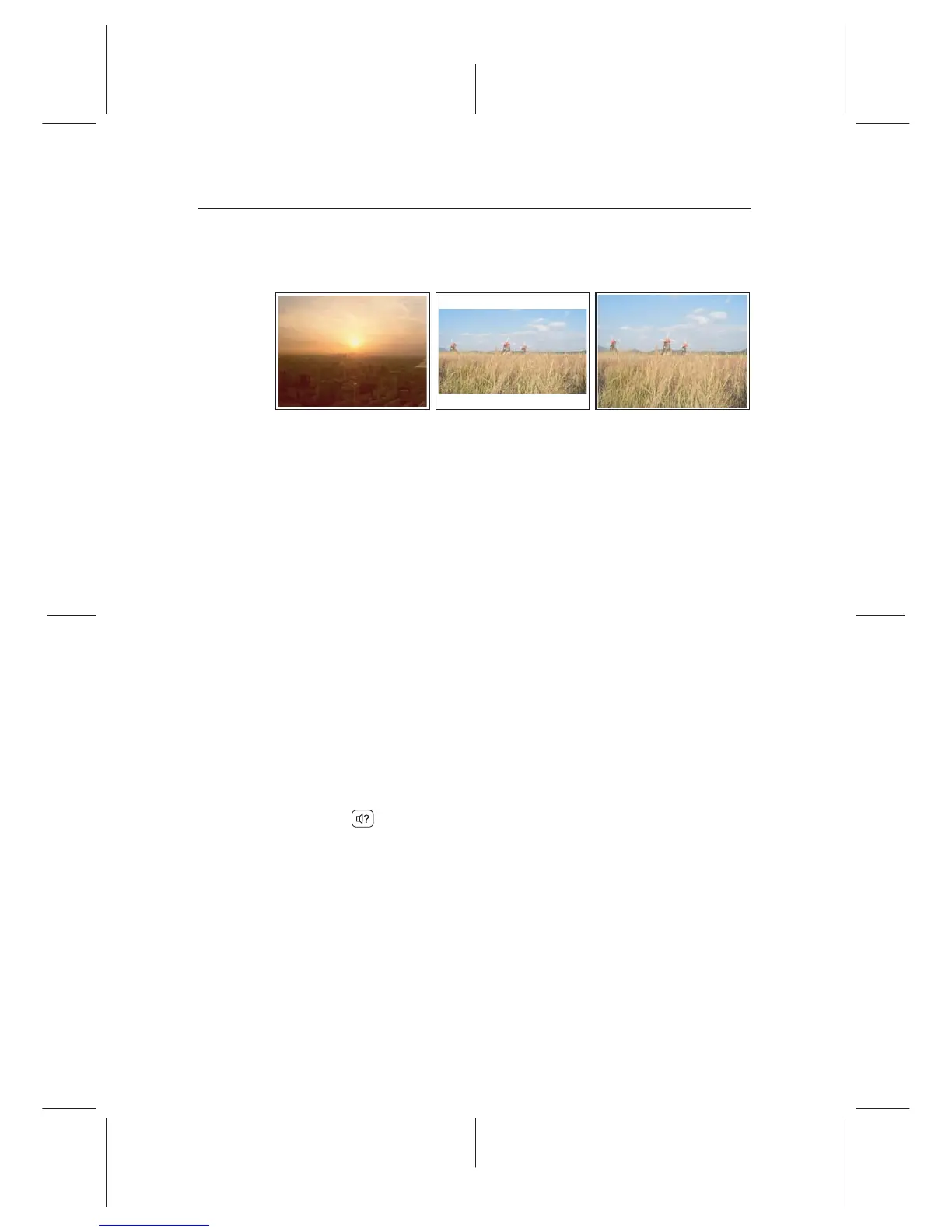
a normal-screen television, set the TV Aspect Ratio option to
4:3.
You cannot fully enjoy wide-screen programmes with your
normal-screen television as the above gures show. The left
gure shows a normal picture displayed in the normal screen.
To watch wide-screen programmes in the shape like the cen-
tre gure, set the Display Format option to Letter Box. Wide-
screen pictures then will be reduced to t to the width of the
normal screen. Otherwise, to watch them in the shape like the
right gure, set it to Center extract. Then wide-screen pictures
will be cut out on the left and right sides equally to t to the
width of the normal screen.
4.1.3 Audio mode
Basically, there are two audio sources as you can nd two audio
sockets on the back panel of the digital receiver. You can enjoy
only one source or both of them in either stereo or mono. Set
the Sound Mode option as you desire.
Apart from this setting, you can change the sound mode with
the butt
on. See §5.2.4 for a detailed description.
The digital receiver can output two types of digital audio sig-
nals via the S/PDIF output. One is an encoded signal, and
the other is a decoded signal. If you have the digital receiver
linked to your audio-video receiver via the S/PDIF output, you
have to set the Digital option to O, which means that the
digital receiver will output encoded Digital audio without
decoding so that your audio-video receiver can decode it.















 To Next Page