7
7.2 File archive 47
See §5.4 for detailed description about the time-shift feature.
7.2 File archive
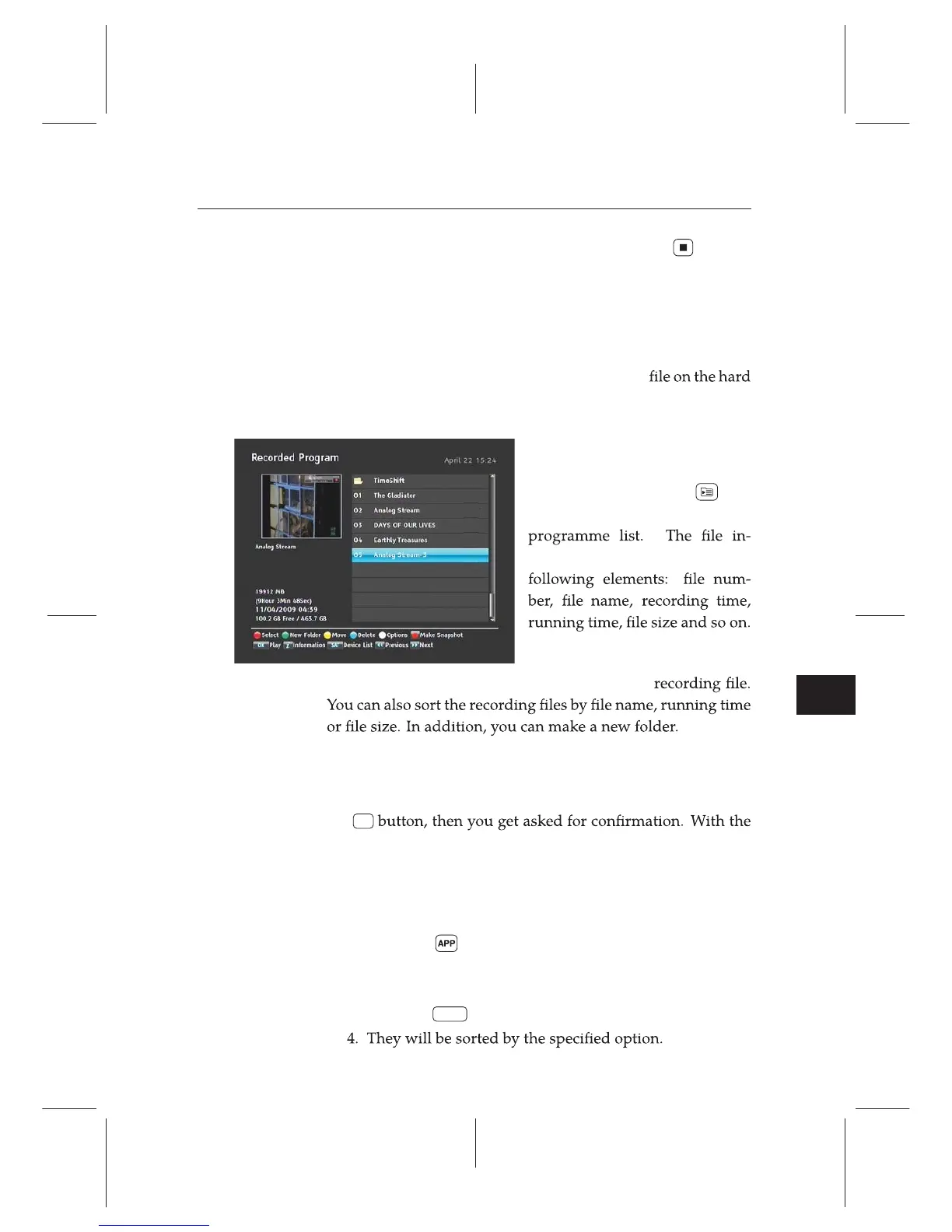
When a programme is recorded, it is stored as a
drive of the digital receiver. You can select a recording to play
back from the recorded programme list.
Select the Recording e
Recorded Program menu or
alternatively press the
but-
ton to display the recorded
formation is comprised of the
You can play, move, delete, rename and lock a
7.2.1 To delete a recording
To delete a recording, put the highlight bar on it and press
the
F4
choice of Yes, it will be deleted.
7.2.2 To sort recordings
To sort the recordings, take the following steps:
1. Press the button to display additional options.
2. Set the Sorting option to Alphabetic, Time or Size as you
want.
3. Press the
EXIT button.
4. If you wish to stop the live recording, press the button
on the remote.














 To Next Page