4
4.2 Local time setting 21
Otherwise, set it to On, then the digital receiver will output
decoded Digital audio, scaling it down to two channels.
NOTE
Only if the service you are currently watching provides
a Digital audio track, you can enjoy Digital sound.
4.2 Local time setting
You should set your local time for timer events.
Select the Settings e Time
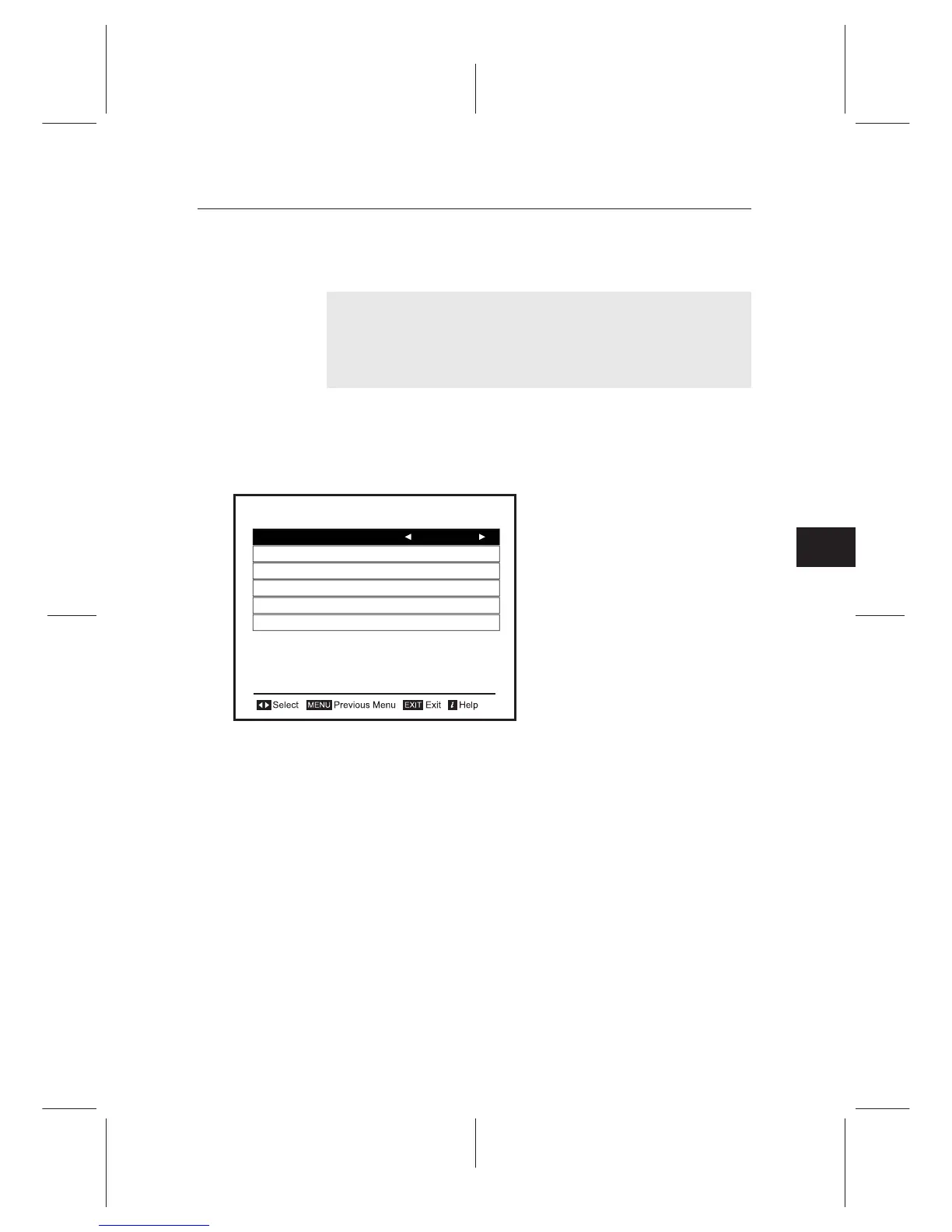
menu. You should see a screen
like the left gure. You can set
the clock manually or use the
time signal, Greenwich Mean
Time (GMT), carried as part of
the digital television broadcast.
To use Greenwich Mean Time,
take the following steps:
1. Set the Mode option to Auto, then the Time Oset option
becomes enabled.
2. Set the Time Oset option to the time dierence between
your time zone and GMT referring to Table 4.1.
3. Make sure that your local time is correctly displayed on
the Local Time item.
To set the local time manually, set the Mode option to Man-
ual and enter your local time to the Local Time option with
the numeric buttons. The time format is day/month/year 24-
hour:minute.
If daylight saving time is
observe
d in your state at the moment,
set the Daylight Saving Time option to On.
Time
Mode Auto
Local Time
September 02 05:16
GMT
Time Offset
Time Format
Daylight Saving Time
10:00
24 Hours
On














 To Next Page