TOPSHINE TRACKING TECHNOLOGY USER MANUAL OF MT100
- 20 -
Item Description
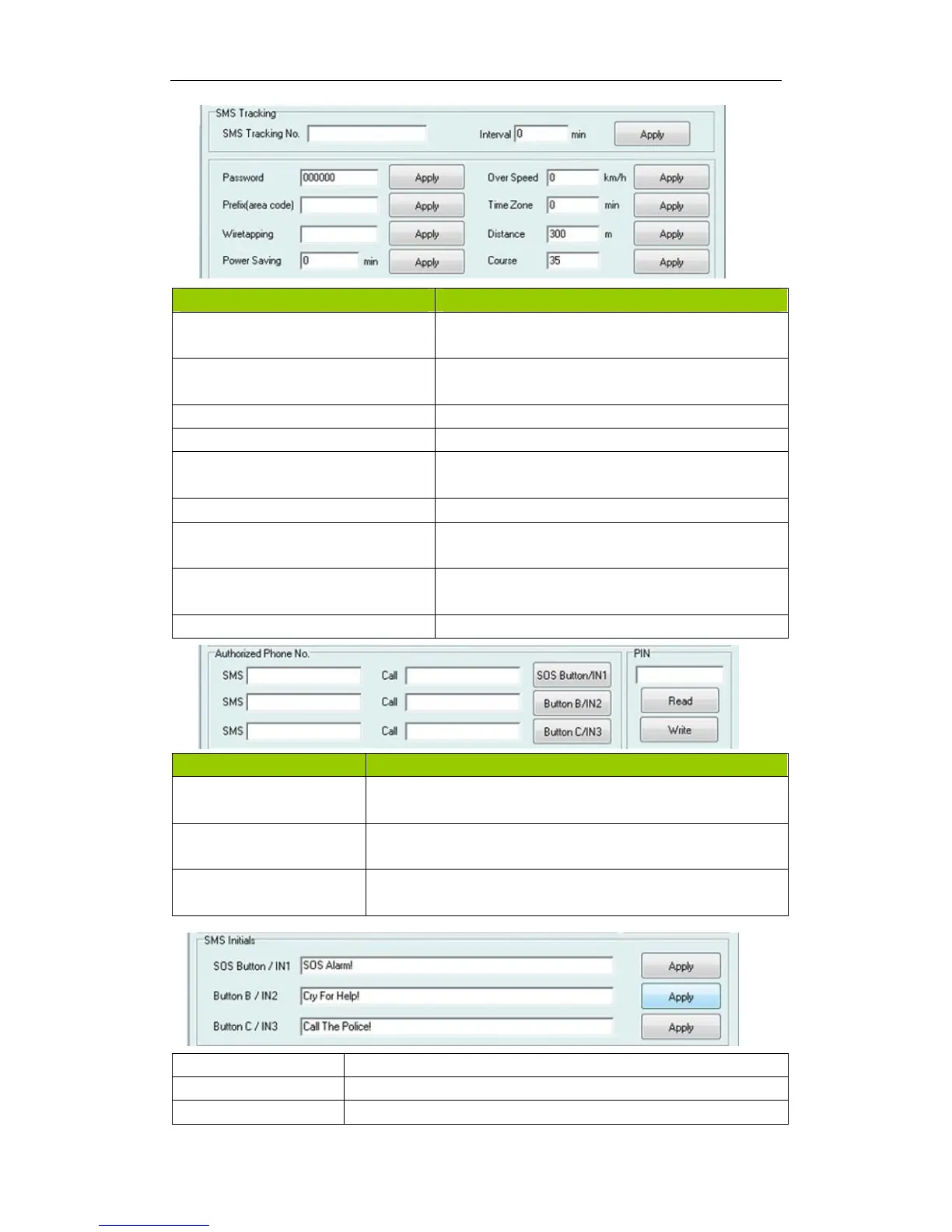
SMS tracking No. Interval To put a mobile phone number for automatic tracking
by SMS at certain time interval in minutes
Password To set SMS command password, the default is
000000,
Over Speed To set speed limit for over speed alarm
Prefix(area code) To set country code
Time Zone To set time zone, GMT*60 (minutes), if in west half
western hemisphere, “-” is necessary to put ahead
Wiretapping To set wiretapping mobile phone number
Distance To set track and upload data by certain distance in
meters
Power Saving To set time enter into standby mode when shaking
not detected to save power and gprs data traffic
Course To set upload data via angle shifting by certain angles
Item Description
SMS Call SOS
Button/IN1
To set Mobile phone No. for SMS or Calling when SOS
button/Input 1 is triggered
SMS Call Button
B/IN2
To set Mobile phone No. for SMS or Calling when Button
B/Input 2 is triggered
SMS Call Button
C/IN3
To set Mobile phone No. for SMS or Calling when Button C/Input
3 is triggered
SOS Button/IN1 To customize the reply SMS text when SOS Button/Input 1 triggered
Button B/IN2 To customize the reply SMS text when Button B/Input 2 triggered
Button C/IN3 To customize the reply SMS text when Button C/Input 3 triggered



 To Next Page