TOPSHINE TRACKING TECHNOLOGY USER MANUAL OF MT100
- 19 -
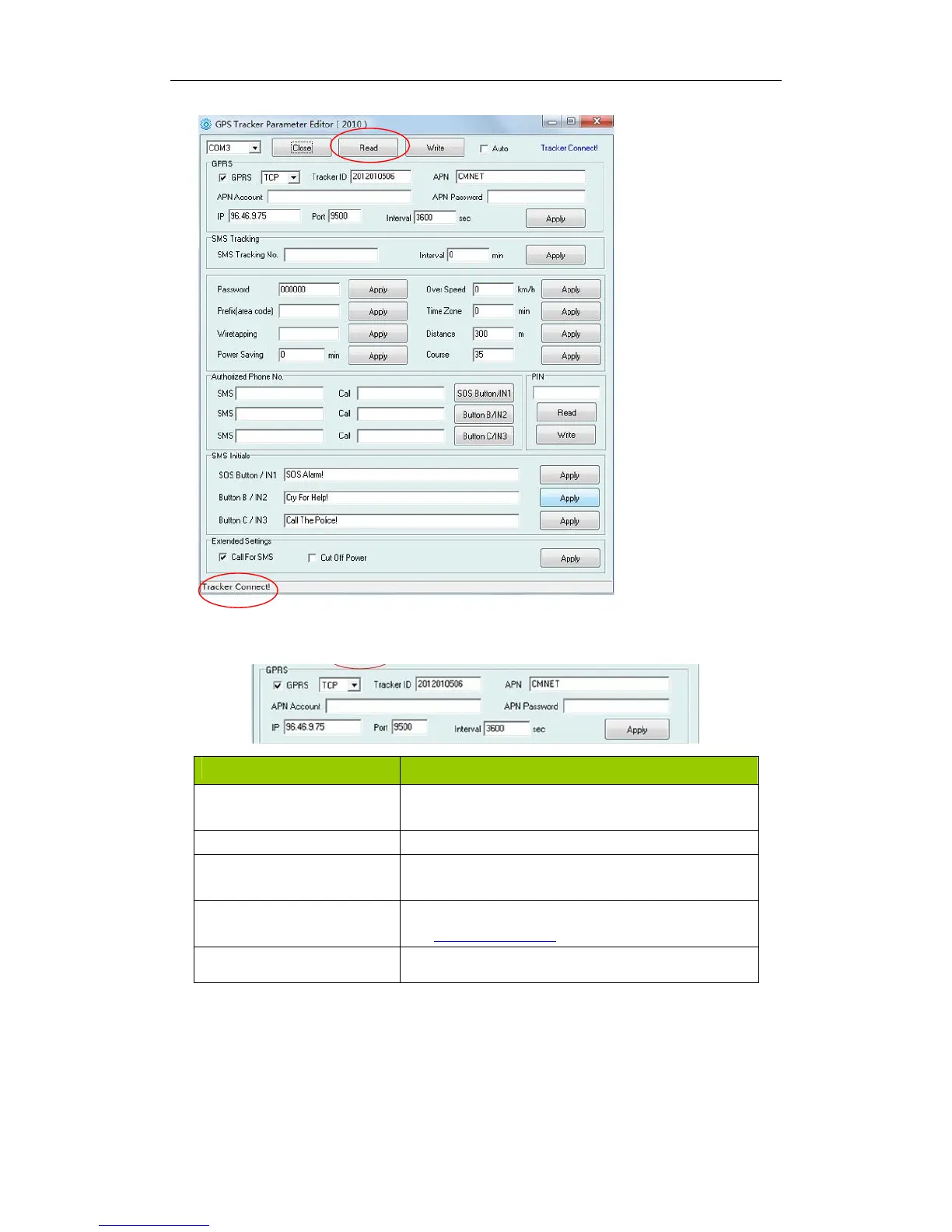
Instruction of parameter setting:
Item Description
GPRS Tick to enable GPRS function, select TCP or UDP
mode
Tracker ID Should be unique, in number, maximum 14 bytes
APN, APN Account, APN
Password
Put your local APN, APN username and password if
necessary
IP, Port Put online tracking server IP and port, our default is IP:
www.global-track.net port: 9500
Interval To put time interval to upload a data



 To Next Page