EasyManua.ls Logo

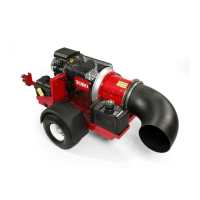
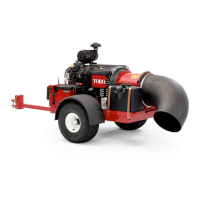
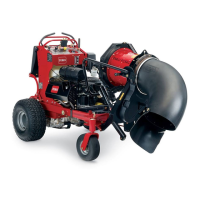
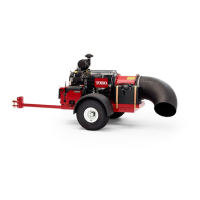
Toro Pro Force Debris - User Manual

Toro Pro Force Debris
48 pages
Print Icon
To Next Page IconTo Next Page
Loading...
FormNo.3443-292RevA
ProForce
®
DebrisBlower
ModelNo.44552—SerialNo.408000000andUp
ModelNo.44552TE—SerialNo.408000000andUp
Registeratwww.Toro.com.
OriginalInstructions(EN)
*3443-292*

Table of Contents

Questions and Answers

  • E
    Eric IngramAug 4, 2025
    What to do if the energize to run (ETR) circuit was interrupted because of low machine battery voltage on my Toro Blower?
    • R
      Ricardo LeeAug 4, 2025
      If the energize to run (ETR) circuit was interrupted due to low machine battery voltage, you should: * Check the battery cable condition and ensure the cable hardware is tight. * Test and charge the battery (refer to the Service Manual), and replace it if necessary. * Test the engine alternator (refer to the Service Manual) and replace it if needed. * Test the engine voltage regulator/rectifier (refer to the Service Manual) and replace it if needed.
  • T
    thomaskaraAug 9, 2025
    What to do if the energize to run (ETR) circuit was interrupted because of low oil pressure on my Toro Blower?
    • C
      Catherine ParkerAug 9, 2025
      If the energize to run (ETR) circuit was interrupted because of low oil pressure, check the engine-oil level and adjust as necessary. If the issue persists, the engine oil pressure switch or the wire harness may be damaged. Contact your authorized Toro Distributor for assistance.
  • A
    Alyssa FordAug 14, 2025
    How to fix software incompatibility in TEC, wireless-control module, or handheld remote of my Toro Pro Force Debris Blower?
    • J
      Jesse GarciaAug 14, 2025
      To resolve software incompatibility issues in your Toro Blower, associate the handheld remote (refer to the machine Operator’s Manual) or install the correct software by contacting your authorized Toro Distributor.
  • I
    iholtAug 19, 2025
    What to do if the wrong handheld remote is associated with the wireless-control module on my Toro Pro Force Debris?
    • C
      chloe55Aug 19, 2025
      If the wrong handheld remote is associated with the wireless-control module of your Toro Blower, change to the correct handheld remote. Ensure it is not associated with a different Pro Force machine or is not from the wrong type of machine.
  • B
    banksmichaelAug 25, 2025
    Why the TEC controller or the wireless-control module cannot communicate on my Toro Pro Force Debris?
    • C
      Casey HuntAug 25, 2025
      If the TEC controller or the wireless-control module cannot communicate in your Toro Blower, check the wire-harness connector for looseness, corrosion, or damage. If the wire harness or wireless-control module is damaged, contact your authorized Toro distributor.
  • B
    Brandy MoraAug 29, 2025
    What to do if the Toro Pro Force Debris oil pressure is low?
    • W
      whendersonAug 29, 2025
      If the oil pressure is low in your Toro Blower, the first step is to check the oil level. If the problem persists after checking the oil, the oil pressure switch might be damaged.

Summary

Electromagnetic Compatibility

Domestic Compliance

Device complies with FCC Rules Part 15, subject to two conditions.

International Certifications

Certification details for Japan, Mexico, and Korea.

Introduction

California Proposition 65 Warning

Warning about chemicals known to cause cancer and reproductive harm.

Safety

General Safety Guidelines

General safety instructions to avoid serious personal injury.

Safety and Instructional Decals

Setup

Loose Parts and Media

Verifying shipped parts and included media.

Connecting Components

Procedures for connecting the battery, hitch, and tow vehicle.

Handheld Remote Setup

Procedure to install batteries in the handheld remote.

Product Overview and Controls

Handheld Remote Functions

Description of handheld remote controls, buttons, and LED.

Machine Controls

Operation of throttle, choke, ignition, and diagnostic light.

Operation

Pre-Operation Safety

Safety precautions before and during operation.

Fueling and Daily Checks

Fuel specifications, filling, and daily maintenance procedures.

Running the Engine

Procedures for starting, running, and shutting off the engine.

Remote Operation

Using the handheld remote, start-enable sequence, and adjustments.

Moving and Transport

Tips for operating, moving, and towing the machine.

Product Features

Nozzle Position and Alignment

Using the gauge to align and set the blower nozzle.

Optional Lights

Procedure to switch optional lights on or off.

Operating Tips and Safety

Operating Tips

Tips for operating the blower effectively.

After Operation and Towing Safety

Post-operation procedures and safety for towing.

Remote Control and Hauling Safety

Safe use of remote control and procedures for hauling.

Maintenance

Maintenance Safety

Safety precautions before performing maintenance.

Maintenance Schedule

Schedule of maintenance tasks based on service intervals.

Daily Maintenance Checklist

Checklist for daily maintenance tasks.

Pre-Maintenance Procedures

Preparing Machine for Maintenance

Steps to prepare the machine before performing maintenance.

Engine Maintenance Safety

Safety precautions related to engine maintenance.

Servicing Air Cleaner

Procedure for cleaning and checking the air cleaner.

Air Filter Checks and Replacement

Procedures for checking, replacing, and installing the air filter.

Engine Maintenance

Engine Oil Specifications

Details on recommended oil type and viscosity.

Checking Engine Oil Level

Procedure to check the engine oil level.

Changing Engine Oil and Filter

Procedures for changing the engine oil and oil filter.

Servicing Spark Plugs

Procedure to check spark plug condition and air gap.

Cleaning Engine Components

Procedure to clean engine screen and oil cooler.

Fuel System Maintenance

Servicing Carbon Canister

Procedures for replacing carbon canister filters.

Replacing Fuel Filter

Procedure to replace the fuel filter.

Servicing Fuel Tank

Safety and procedures for servicing the fuel tank.

Electrical System Maintenance

Electrical Safety and Fuses

Safety precautions and fuse replacement procedures.

Replacing Machine Fuses

Procedure to replace machine fuses.

Drive System Maintenance

Tire and Wheel Maintenance

Checking tire pressure, torquing lug nuts, and inspecting tires.

Belt Maintenance

Adjusting Belt Tension

Procedure to adjust nozzle-control belt tension.

Blower Maintenance

Blower-Nozzle Clamp and Guides

Checking clamp and cleaning nozzle guides.

Handheld Remote Maintenance

Remote and Module Communication

Overview of remote and module communication.

Associating Remote and Module

Procedure to associate the remote and control module.

Replacing Remote Batteries

Procedure to replace remote control batteries.

Troubleshooting Fault Codes

Resolving Fault Codes

Procedures for resolving system faults indicated by the diagnostic light.

Diagnostic Mode Procedures

Procedures for entering, checking, resetting, and exiting diagnostic mode.

Cleaning

Washing and Waste Disposal

Instructions for washing the machine and disposing of waste.

Storage

Storage Safety and Procedures

Safety precautions and steps for storing the machine.

Privacy Notice

Personal Information Handling

Information on Toro's use, security, and rights concerning personal data.

California Proposition 65 Warning

Toro Warranty

Warranty Terms and Conditions

Coverage, exclusions, owner responsibilities, and general conditions.

Warranty Service and International

How to obtain service and warranty for international customers.

Toro Pro Force Debris Specifications

General IconGeneral
BrandToro
ModelPro Force Debris
CategoryBlower
LanguageEnglish

Related product manuals