Figures
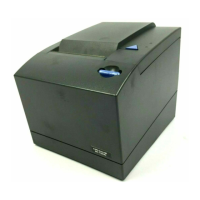
1. SureMark 4610 printer .............................1
2. USB interface card ..............................3
3. RS-232 interface card .............................3
4. RS-485 interface card .............................4
5. Ethernet interface card .............................4
6. Get Configuration header example ........................13
7. The configuration file open in a hex editor .....................20
8. The configuration file open in a hex editor .....................21
9. Power button ................................22
10. Location of label with machine type, model number and serial number ...........27
11. SureMark 4610 Models 1NR, 1NA, and 1ND dimensions ................29
12. Offline tests activation .............................45
13. Example of the offline selection main menu .....................46
14. Removing the interface card ..........................52
15. Opening the top cover .............................53
16. Removing the top cover ............................54
17. Main cover tab ...............................55
18. Paper-out sensor...............................56
19. Paper door release lever ............................58
20. Paper door release lever ............................59
21. Removing the logic card ............................60
22. Grounding the logic card ............................61
23. Cutter motor screws..............................63
24. Clearing the door brake ............................63
25. Removing the topmost roller ..........................65
26. Place Holder for Future Artwork .........................66
27. Low-paper sensor removal ...........................67
28. Removing the grounding strap from the main frame ..................68
vii
||
||
||
||



 To Next Page
 Loading...