2GettingStartedToshibaB‐FV4TOwner’ sManual
9
2 GettingStarted
Thischapterdescribeshowtosetupyourprinter.
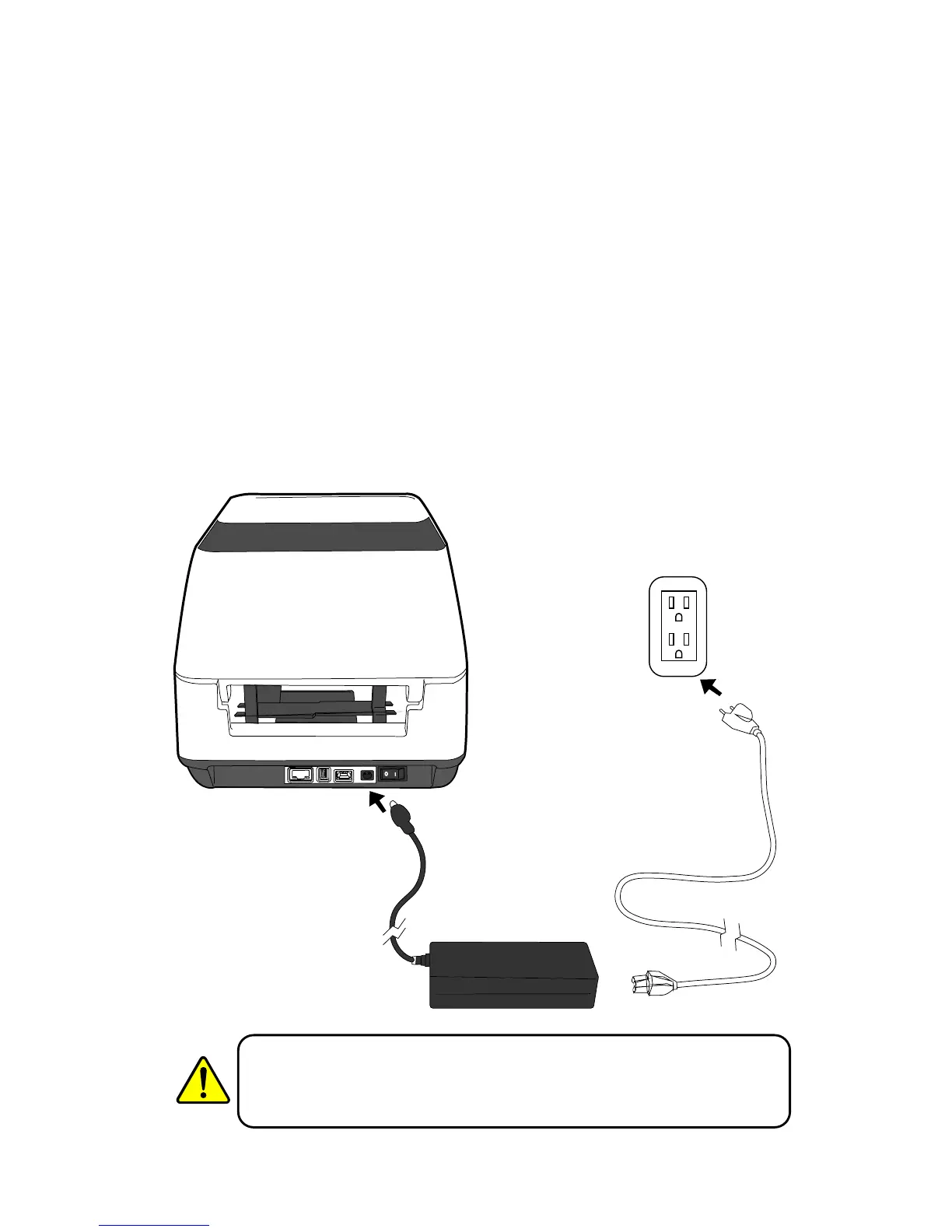
2.1AttachingPower
1. MakesurethepowerswitchissettotheOFFposition.
2. Insertthepowersupply’sconnectorintotheprinterpowerjack.
3. InserttheACpowercordintothepowersupply.
4. PlugtheotherendoftheACpowercordintothewallsocket.
WarningDonotplugtheACpowercordwithwethands,oroperatethe
printerandthepowersupplyinanareawheretheymaygetwet.Serious
injurymayresultfromtheseactions!



 To Next Page
 Loading...