INSTALLATION PROCEDURE FOR OPTIONAL EQUIPMENT EO15-33001A
1. Cutter Module
1- 3
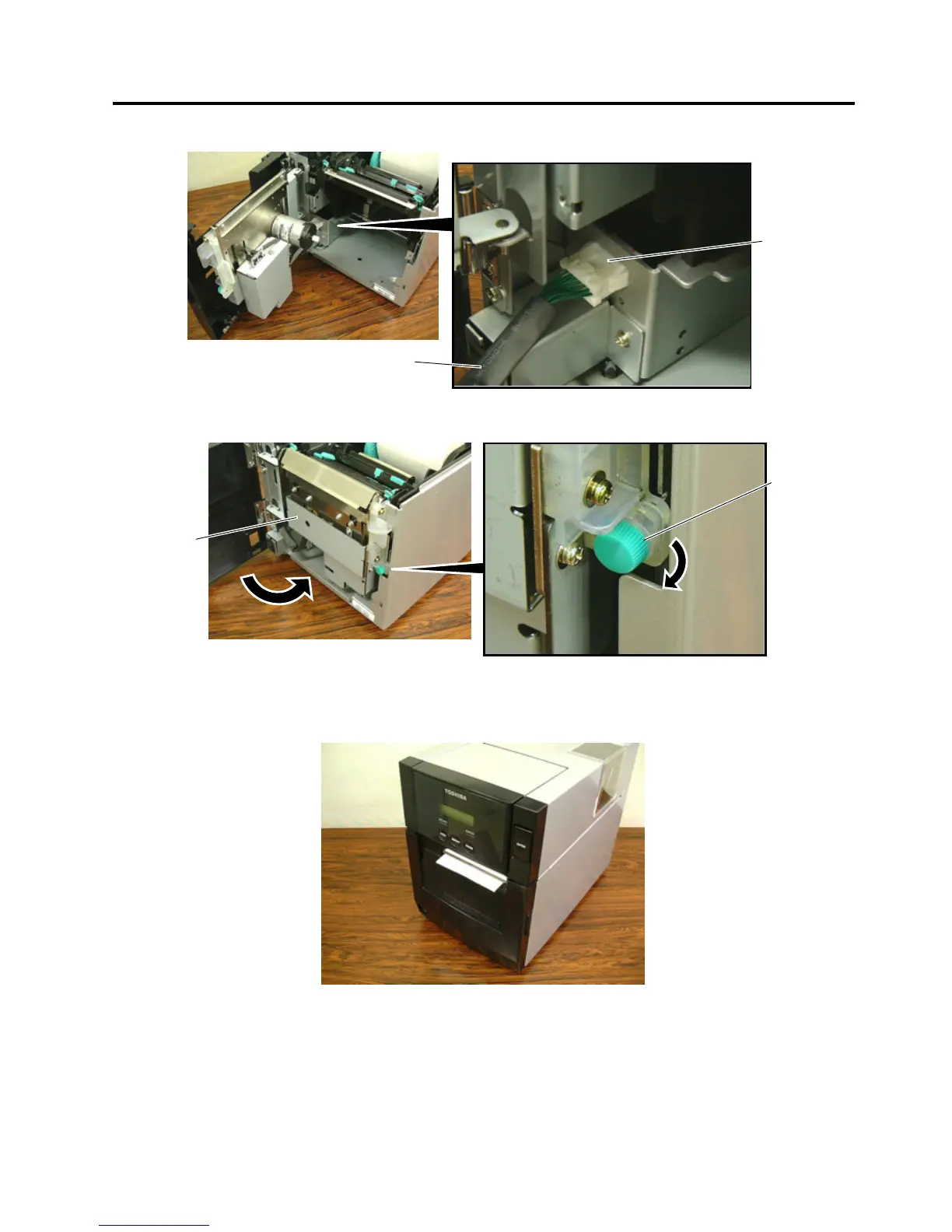
5. Connect the Cutter Harness to the connector at the front of the printer.
6. Close the Cutter Unit and secure it to the printer with the Set Screw.
7. Close the Cutter Module Cover.
• Media loading procedure------------- Owner’s Manual, Section 2.3
• Operation check------------------------ Owner’s Manual, Section 2.9
• System mode setting------------------ System Mode Manual
• Cleaning --------------------------------- Owner’s Manual, Section 4.1.3
Cutter Harness
Connector
Cutter Unit
Set Screw



 To Next Page
 Loading...









