INSTALLATION PROCEDURE FOR OPTIONAL EQUIPMENT EO15-33001A
4. Serial Interface Board: B-SA704-RS-QM-R
4- 1
4. Serial Interface Board: B-SA704-RS-QM-R
The pictures used in this section are those of the B-SA4TM, and the installation procedures are common
with the B-SA4TP unless otherwise noted.
• Packing List
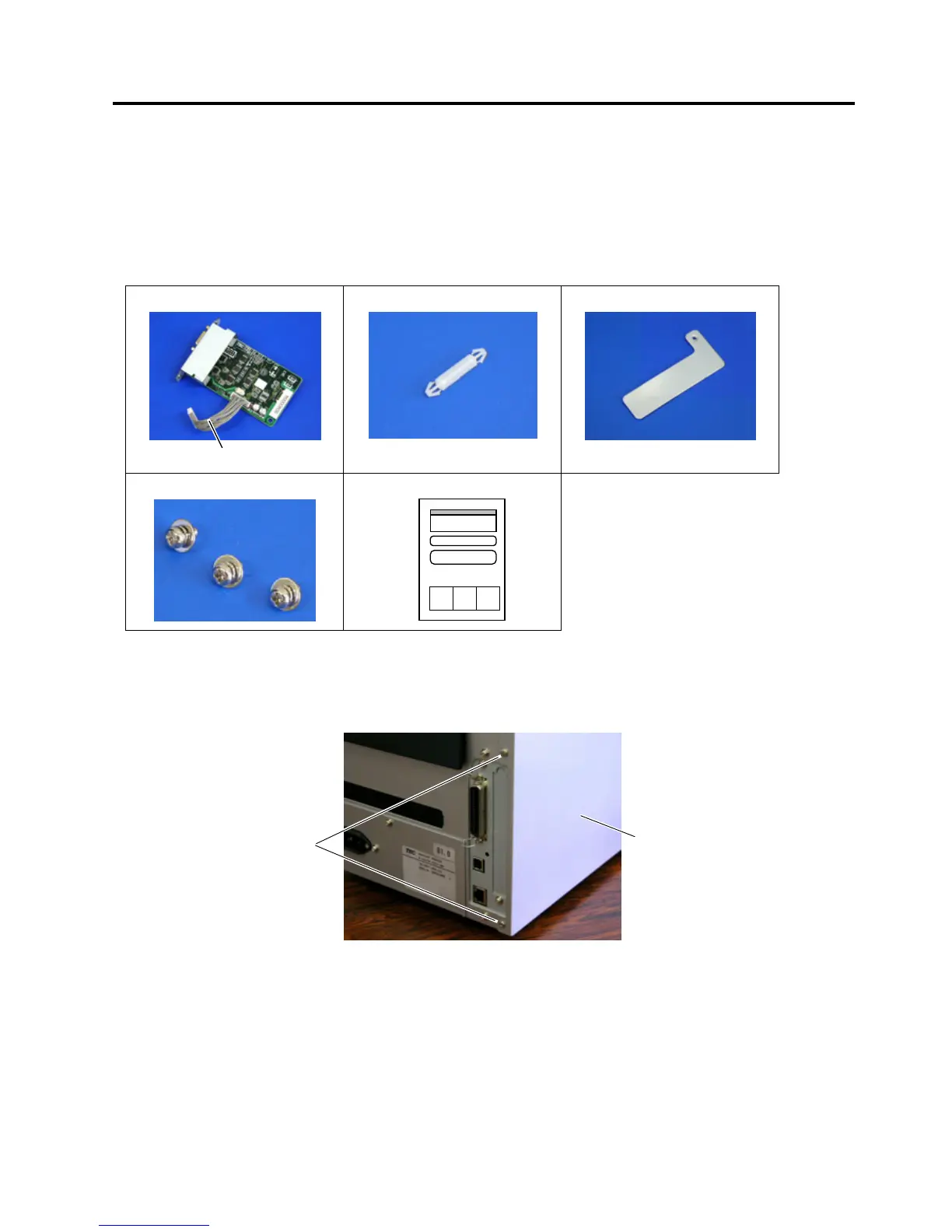
The following parts are supplied with the kit. Make sure you have all items shown below.
SIO PC Board (1 pc.)
Serial Interface Cable
Locking Support (1 pc.)
PCB Support Plate (1 pc.)
SMW-3x6 Screw (3 pcs.)
Installation Manual (1 copy)
NOTE: Make sure that the Serial Interface Cable is connected to CN4 on the SIO PC Board.
• Installation Procedure
1. Remove the two screws from the back of the printer.
SMW-3x6
Side Panel



 To Next Page
 Loading...









