EN-60
HOW TO OPERATE (continued)
Other Settings (continued)
40
Cleaning display screen
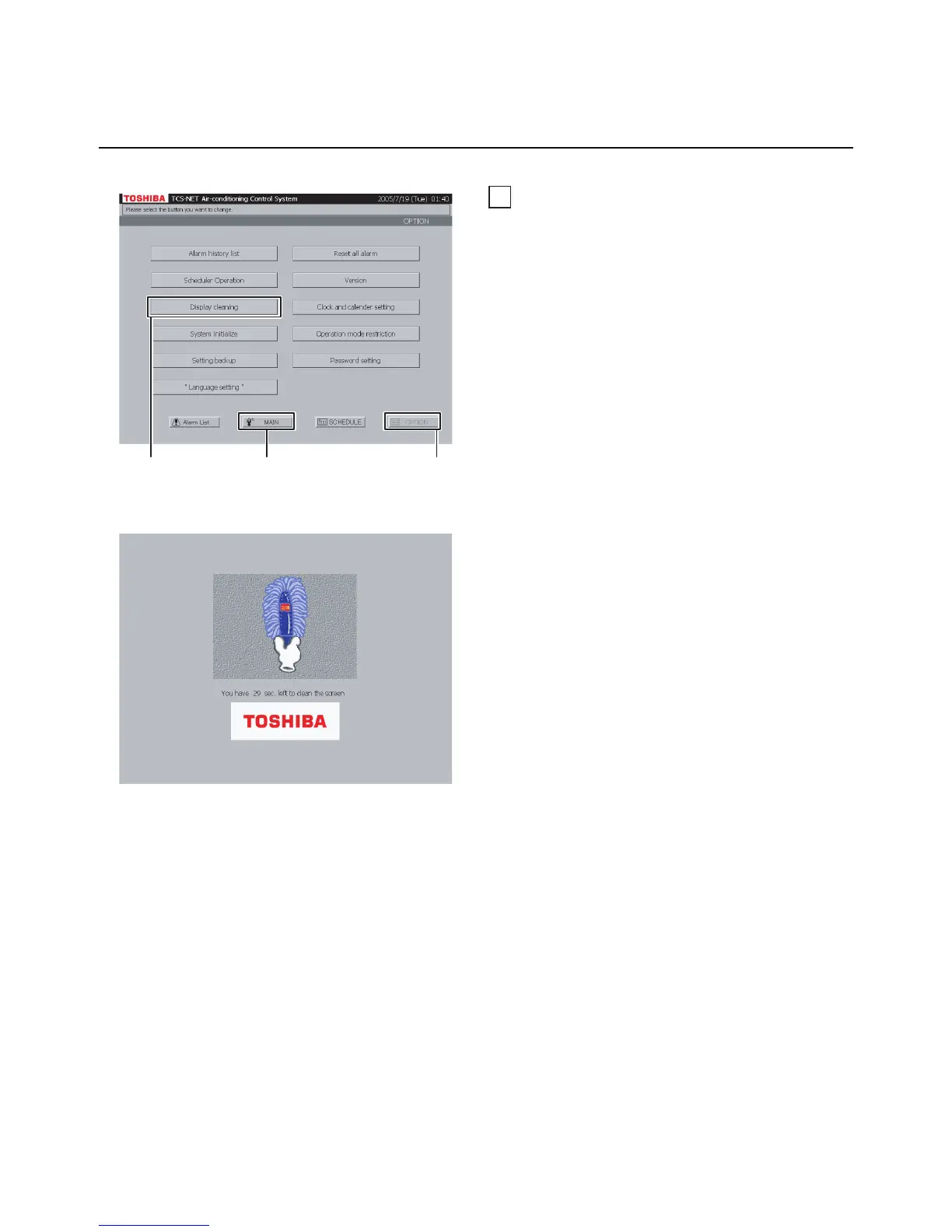
A Push [OPTION]. The Menu screen (Fig. 40-1)
appears.
To return to the Monitoring screen, push [MAIN].
B Push [Display cleaning]. The Display Cleaning
screen (Fig. 40-2) appears for 30 seconds.
Clean the display screen during this time period
because all the buttons are disabled even if they
are touched.
After the time period, the Monitoring screen
(block indication) appears. Do not touch the
screen until the Monitoring screen is displayed.
Fig. 40-1 Menu Screen
Fig. 40-2 Display Cleaning Screen
A
B
To return to Monitoring screen (A)


 To Next Page
 Loading...