EN-62
Other Settings (continued)
HOW TO OPERATE (continued)
42
Resetting all alarms
This menu is provided to clear all alarm signals by
transmitting an alarm clear signal to all air
conditioners.
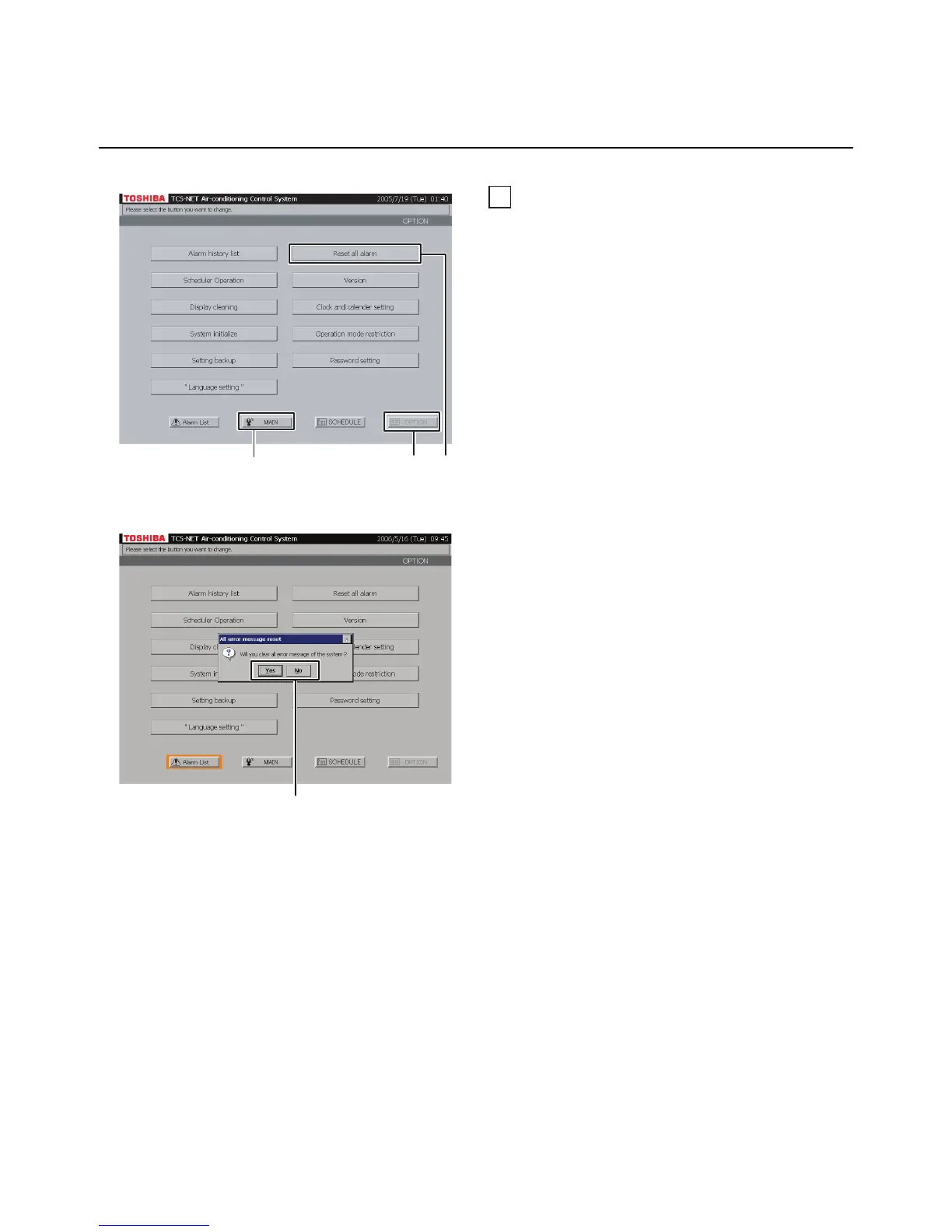
A Push [OPTION]. The Menu screen (Fig. 42-1)
appears.
To return to the Monitoring screen, push [MAIN].
B Push [Reset all alarm]. A confirmation message
appears as shown in the Confirmation Message
screen (Fig. 42-2).
C Push [Yes] to clear alarm signals.
Push [No] to return to the Menu screen
(Fig. 42-1) without clearing alarm signals.
Fig. 42-1 Menu Screen
Fig. 42-2 Confirmation Message Screen
AB
To return to Monitoring screen (A)
C


 To Next Page
 Loading...