61-EN
ENGLISH
41
System reset
This menu is provided to reboot the system by
resetting all the settings of the server.
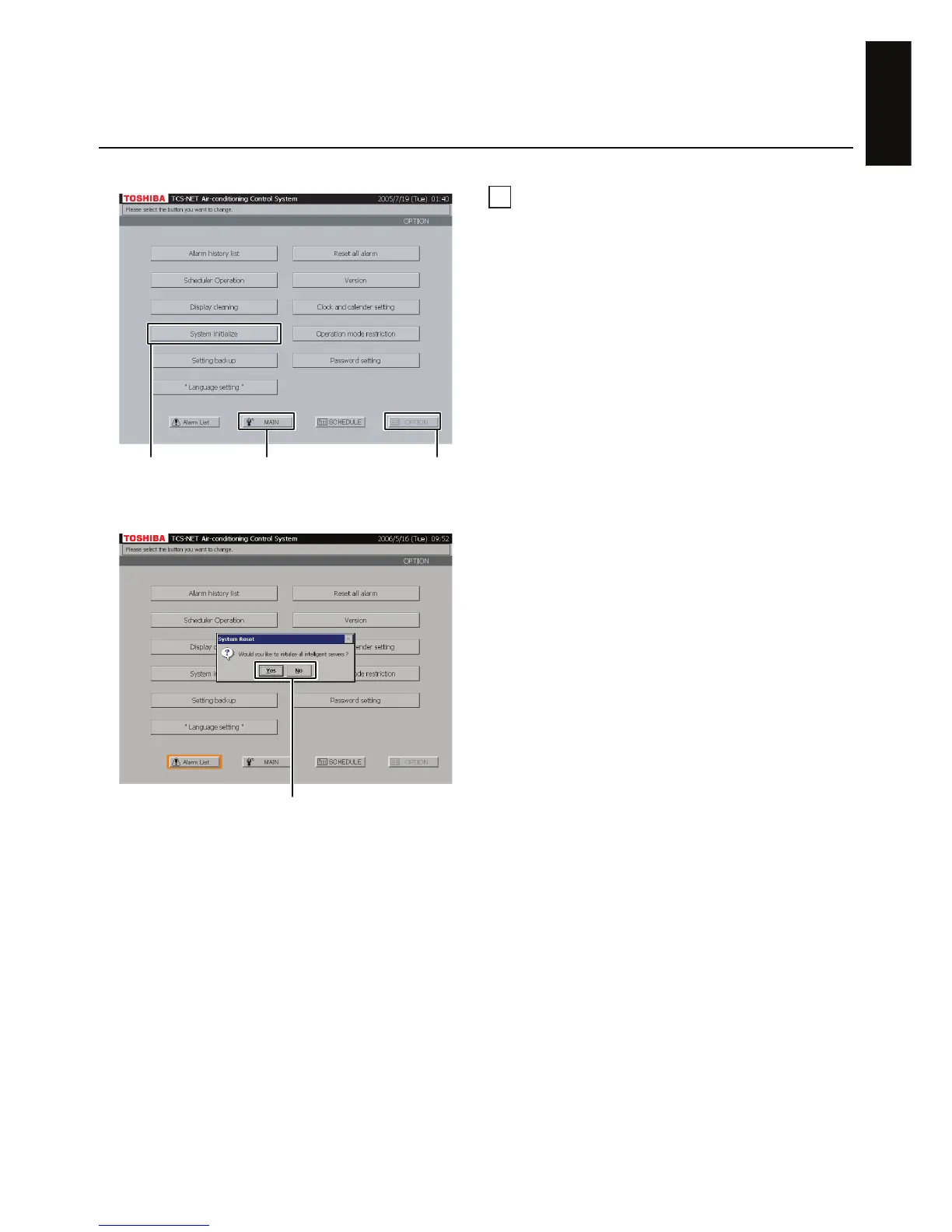
A Push [OPTION]. The Menu screen (Fig. 41-1)
appears.
To return to the Monitoring screen, push [MAIN].
B Push [System initialize]. A confirmation
message appears as shown in the Confirmation
Message screen (Fig. 41-2).
C Push [Yes] to reset the system.
Push [No] to return to the Menu screen
(Fig. 41-1) without resetting the system.
Fig. 41-1 Menu Screen
Fig. 41-2 Confirmation Message Screen
A
B
To return to Monitoring screen (A)
C


 To Next Page
 Loading...