EasyManua.ls Logo

Toshiba BV420D - User Manual

Toshiba BV420D
33 pages
Print Icon
To Next Page IconTo Next Page
Loading...
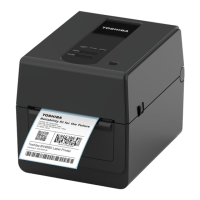
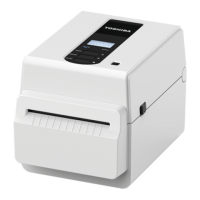
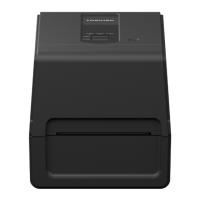
Barcode Printer
Owner’s Manual
BV420D-GL02-QM-S

Questions and Answers

  • C
    Cathy PerryJul 29, 2025
    Why is my Toshiba BV420D Barcode Reader printing poorly?
    • C
      cruzlauraJul 30, 2025
      Poor printing quality may be due to using media not approved by Toshiba Tec Corporation. Try replacing the media with the approved one. Another cause might be a dirty print head, so consider cleaning it.
  • A
    Adam NicholsonAug 6, 2025
    How to fix media not being issued from Toshiba BV420D Barcode Reader?
    • M
      Molly SilvaAug 6, 2025
      If media isn't being issued, it might not be loaded correctly, so try reloading it. Check that the interface cable is correctly connected. Dirty media sensors could also be the cause, so try cleaning them.
  • E
    elizabeth56Aug 14, 2025
    Why is nothing printed on my Toshiba BV420D Barcode Reader?
    • C
      Cassandra CummingsAug 14, 2025
      If nothing is printing, make sure you've loaded direct thermal media if you're using direct thermal mode. Also, ensure the media is loaded correctly and that print data are being sent from the host computer.
  • C
    carrie31Aug 20, 2025
    What to do if the POWER lamp of my Toshiba BV420D does not light?
    • M
      madelinemaxwellAug 21, 2025
      If the power lamp doesn't light, ensure the power cable is correctly connected to both the AC adapter and the AC outlet. Check if there's a power failure or if the AC outlet is not supplying power. Verify the building's fuse or circuit breaker. Also, confirm the AC adapter connector is securely connected to the power jack.

Summary

General Safety Precautions

Safety Summary

Importance of personal safety and understanding warnings before handling equipment.

Meaning of Safety Symbols

Explanation of symbols indicating hazard levels (Warning, Caution, Prohibited, Must be Performed).

Electrical Safety Warnings

Prohibitions against using incorrect voltages, wet hands, sharing outlets, and placing metal objects.

Printer Setup

Setup Procedure

Step-by-step guide for properly setting up the printer before its initial operation.

Connecting Communication Cables

AC Adapter and Power Connection

Printer Power Management

Media Loading

Loading the Media Roll

Step-by-step guide for loading a media roll into the printer, including sensor calibration.

Print Head Maintenance

Cutter Maintenance

Troubleshooting Guide

Common Issues and Solutions

Table of common printer symptoms, their causes, and recommended solutions.

Status Lamp Indicators

Explanation of LED status lamps (POWER, ONLINE, ERROR) and corresponding printer conditions.

Removing Jammed Media

Printer Specifications

Technical Specifications

Detailed technical specifications of the BV420D-GL02-QM-S barcode printer.

Media Specifications

Media Type and Dimensions

Details on approved media types, sizes, and characteristics for the printer.

Toshiba BV420D Specifications

General IconGeneral
TechnologyLaser
ConnectivityWired
TypeHandheld
InterfaceUSB
Supported Barcodes1D barcodes
Scan Speed100 scans per second
Operating Temperature0°C to 50°C
Storage Temperature-20°C to 60°C
Drop Resistance1.5 m
Scanning TechnologyLaser
Humidity5% to 95% (non-condensing)
Cable Length2 m
Scan PatternSingle line

Related product manuals