52
Recording
EN
Selecting the Recording format
Choosing the recording format of a brand-new disc
When inserting a brand-new disc, the unit automatically
starts to format. You have to select your desired format
before inserting the brand-new disc. “Video mode” has
been selected as the default.
1
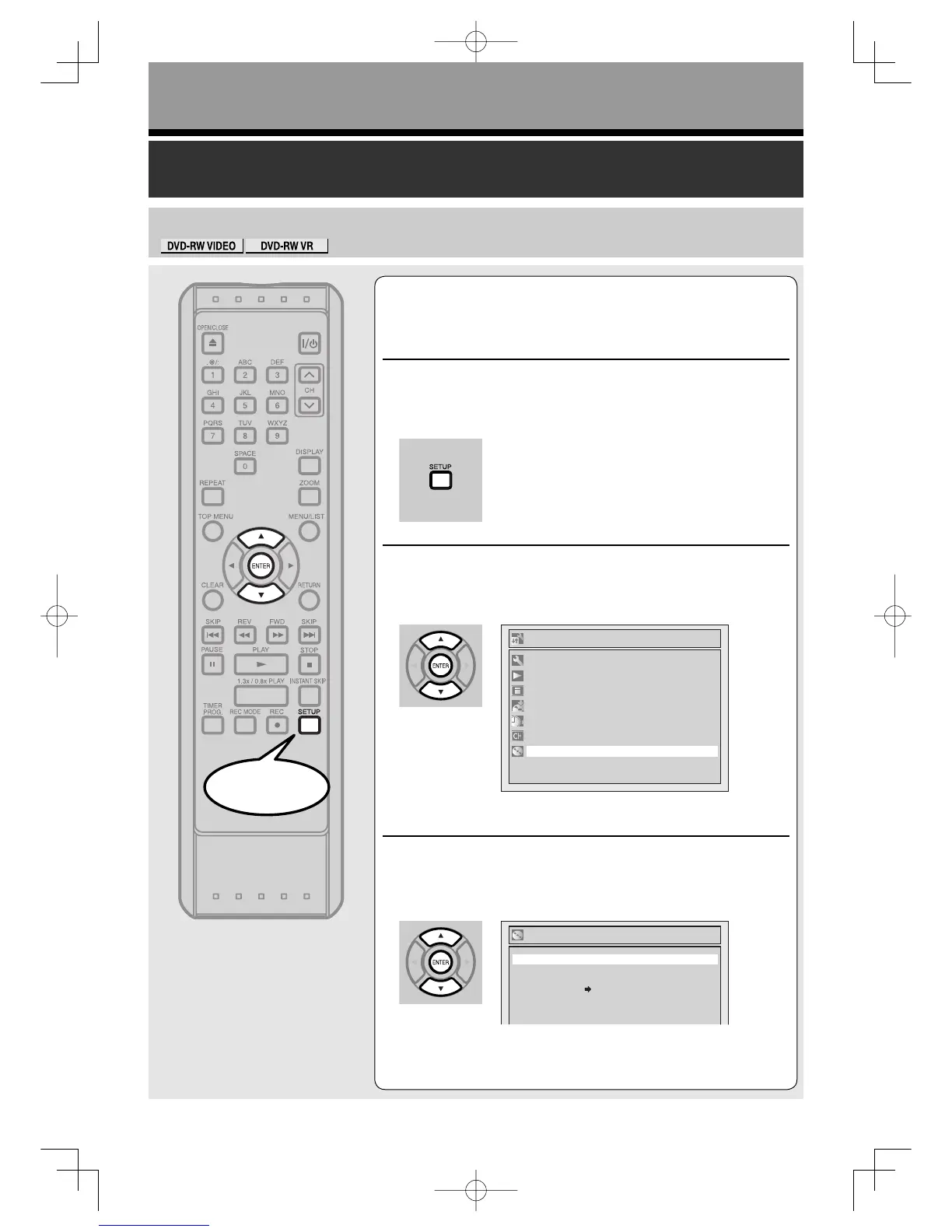
Press [SETUP].
2
Using [K / L], select “Disc”. Press [ENTER].
Disc menu will appear.
3
Using [K / L], select “Format”.
Press [ENTER].
Format menu will appear.



 To Next Page