72
Recording
EN
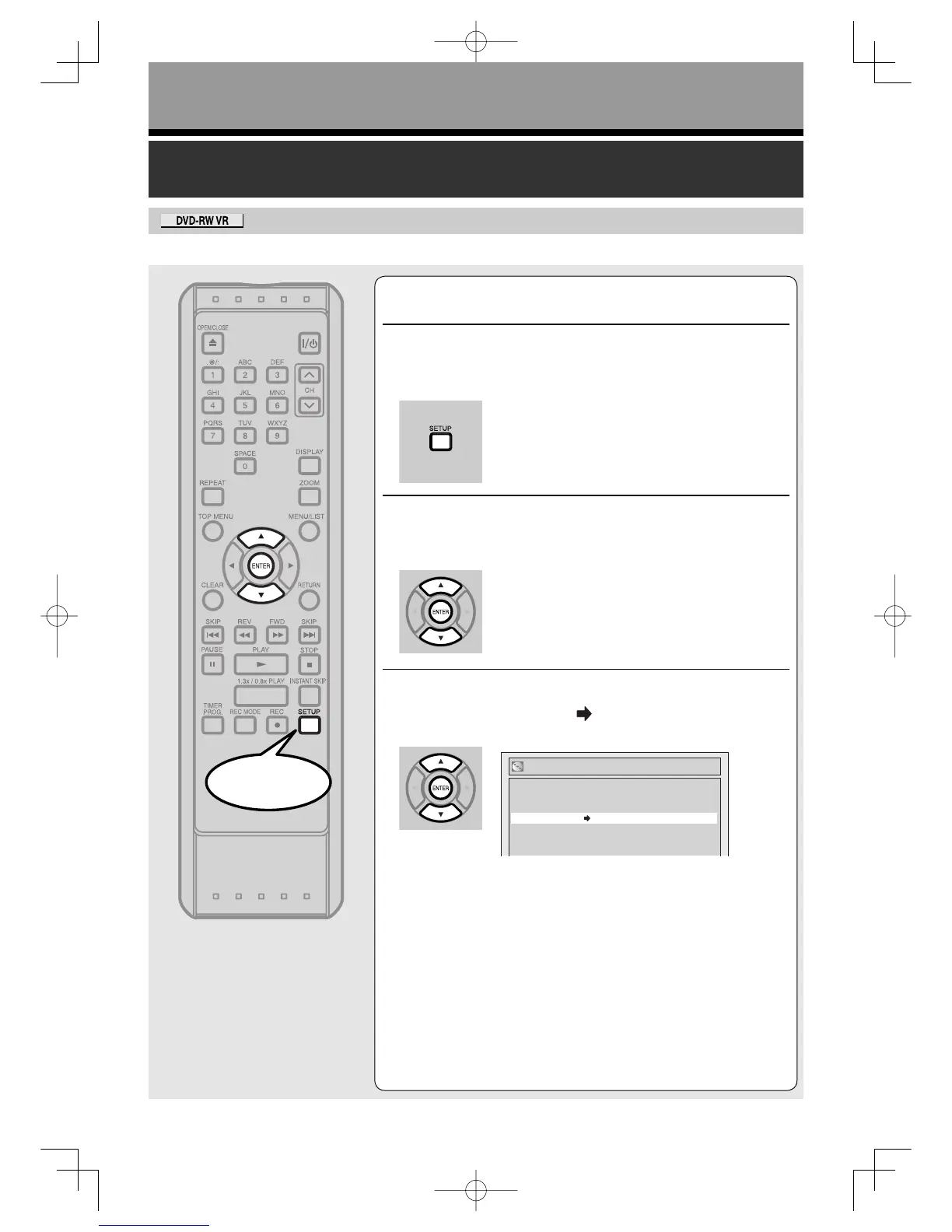
Setting disc protection
To prevent accidental recording, editing or erasing the
titles, you can protect them from the setup menu.
1
Press [SETUP].
2
Using [K / L], select “Disc”. Press [ENTER].
Disc menu will appear.
3
Using [K / L], select
“Disc Protect OFF
ON”. Press [ENTER].
Confirmation window will appear.
Start
Format
Finalize
Disc Protect OFF ON
Format
RecordingUD.indd72RecordingUD.indd72 2006/01/1116:28:412006/01/1116:28:41



 To Next Page