46
Basic Setup
EN
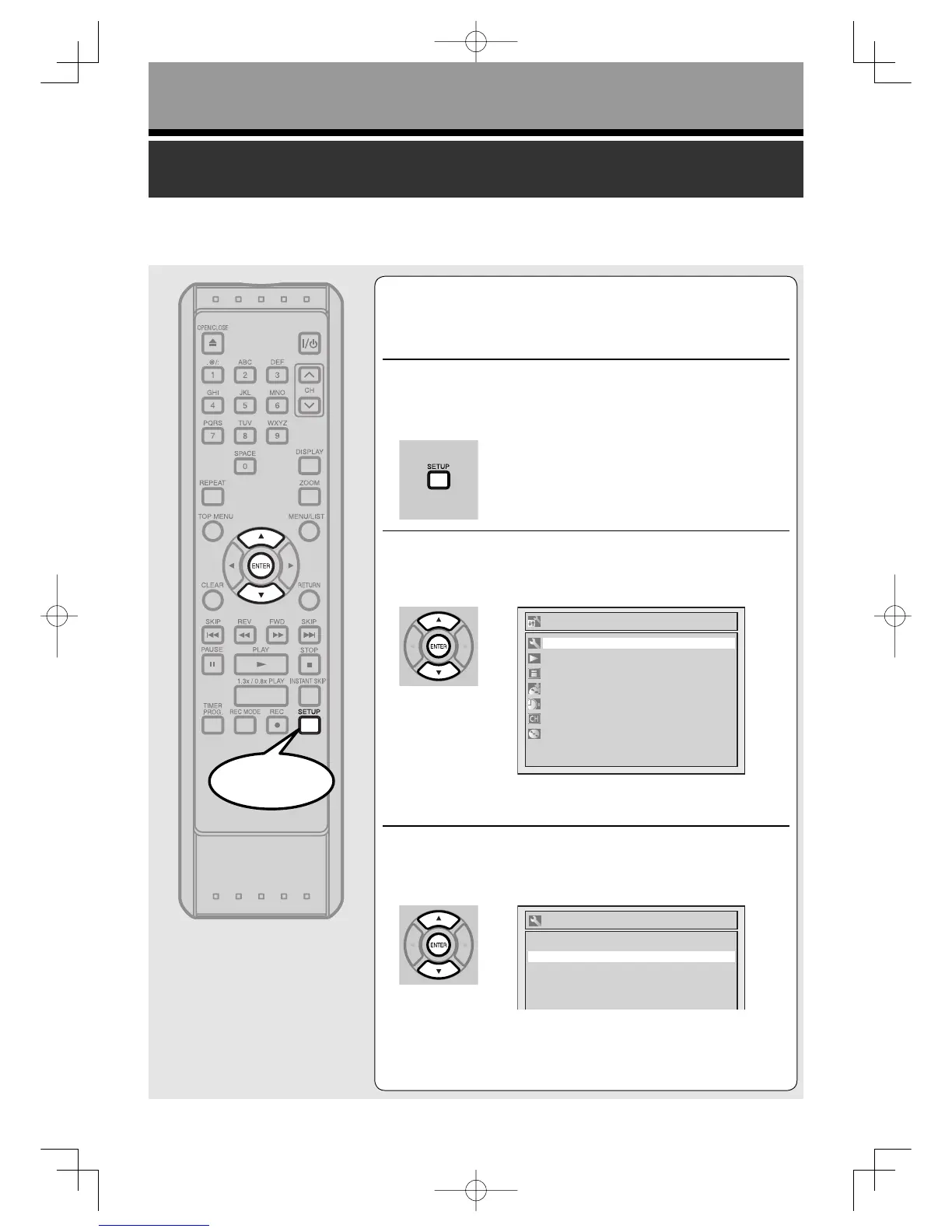
Selecting the TV aspect ratio
You can select the TV aspect ratio to match the formats
of what you are playing with the unit and your TV screen
(4:3 standard or 16:9 widescreen TV).
“4:3 Letter Box” has been selected as the default.
1
Press [SETUP].
2
Using [K / L], select “Required Setting”.
Press [ENTER].
Required Setting menu will appear.
3
Using [K / L], select “TV Aspect”.
Press [ENTER].
Option window will appear.
Start
Setup
Playback
Display
Recording
Clock
Channel
Disc
Required Setting
Required Setting
TV Aspect
TV Audio Select
Select Video
4:3 Letter Box
Stereo
BasicsetupUD.indd46BasicsetupUD.indd46 2006/01/1116:28:172006/01/1116:28:17



 To Next Page