2 GA-1211/GA-1310 SPECIFIC FUNCTIONS
32 Operations from the Control Panel
USER FUNCTIONS
Follow the steps below for the setting operations of [IPv4] and [HTTP] provided in the NETWORK menu.
Setting the TCP/IP protocol (IPv4)
The TCP/IP settings are automatically set when the controller is installed. If the TCP/IP settings are changed, the
equipment cannot communicate with the controller. Therefore, you can confirm the TCP/IP settings but you must not
change the TCP/IP settings.
1
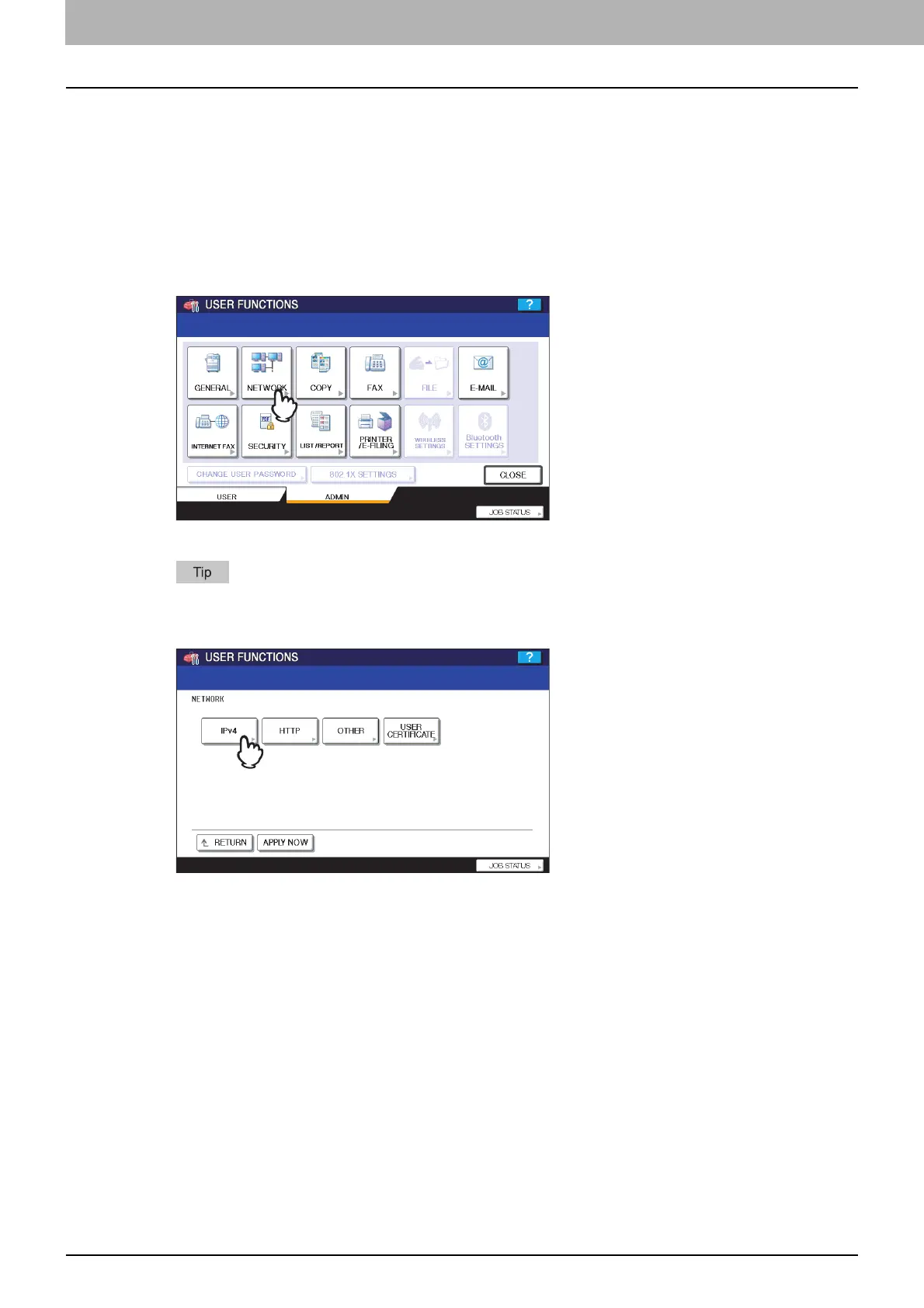
Press [NETWORK] in the ADMIN menu.
The NETWORK menu is displayed.
To display the ADMIN menu, refer to the MFP Management Guide.
2
Press [IPv4].
The IPv4 screen is displayed.



 To Next Page
 Loading...


