1.RESTRICTIONS
Operations from the Control Panel 7
1 RESTRICTIONS
PRINT
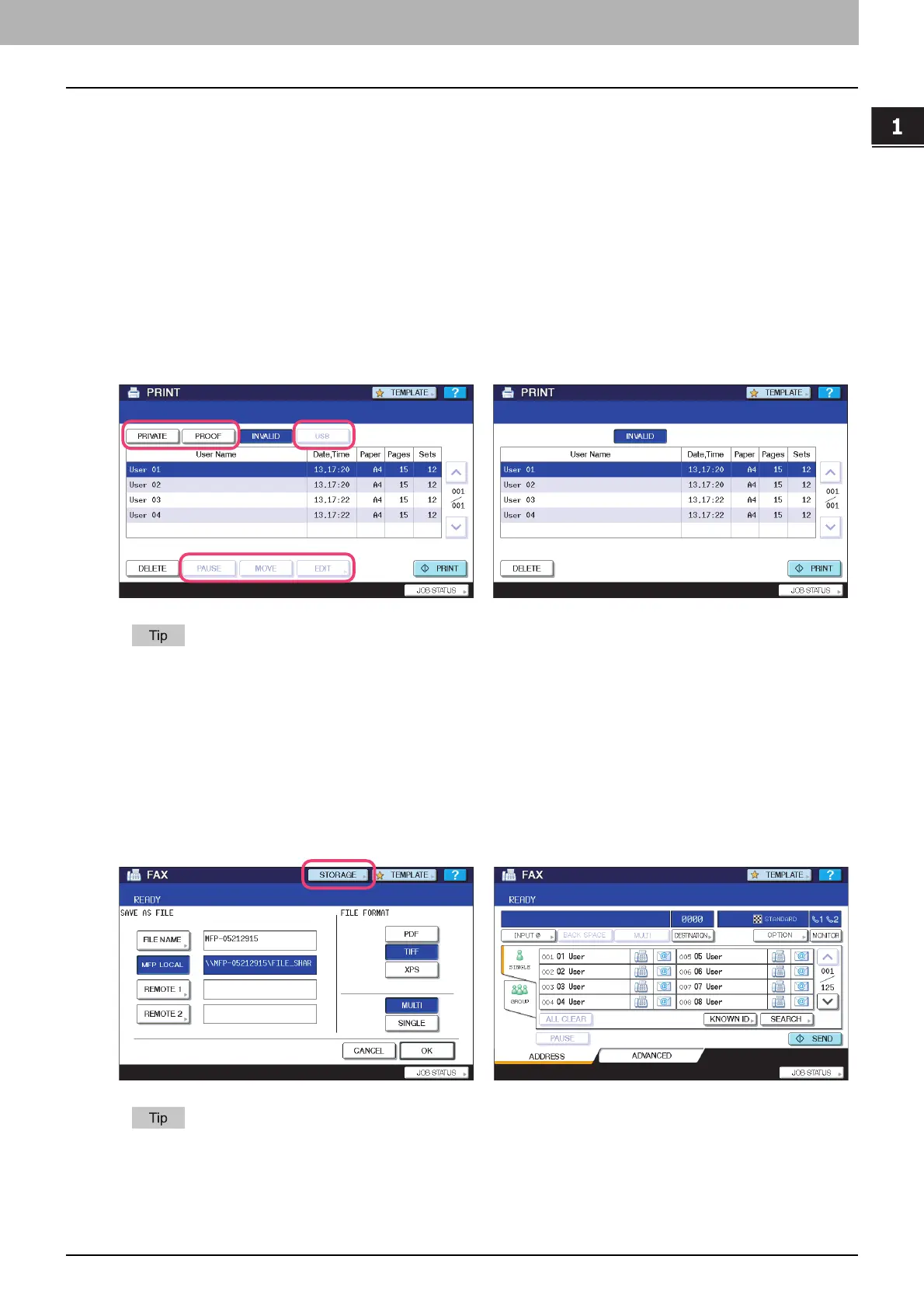
The following related to the [PRINT] button cannot be used when the controller is connected to the equipment:
y The Private Print function for printing a document from a computer on the network only when a set password is keyed
in to the equipment's control panel
y The Proof Print function for printing only a single copy as a sample and suspending the rest of the job when you print
multiple copies from a computer on the network
y The USB Direct Print function for printing files saved in a USB storage device that is connected to the USB port on the
equipment
y The [PAUSE]/[RESUME]] buttons for pausing/resuming jobs in the list
y The [MOVE] button for changing the order of the jobs by moving them within the list
y The [EDIT] button for changing the number of copies to print
For details on the PRINT screen, refer to the Printing Guide.
FAX
The following related to the [FAX] button cannot be used when the controller is connected to the equipment:
y The FAX&FILE function for sending originals and storing the data in the shared folder or a specified network folder at
the same time
For details on the FAX screen, refer to the GD-1250/GD-1260/GD-1270 Operator’s Manual for FAX Unit.
e-STUDIO4520C series/e-STUDIO6530C series
e-STUDIO machine with the controller or
e-STUDIO4520C Pro series/e-STUDIO6530C Pro series
e-STUDIO4520C series/e-STUDIO6530C series
e-STUDIO machine with the controller or
e-STUDIO4520C Pro series/e-STUDIO6530C Pro series



 To Next Page
 Loading...


