2 GA-1211/GA-1310 SPECIFIC FUNCTIONS
34 Operations from the Control Panel
3
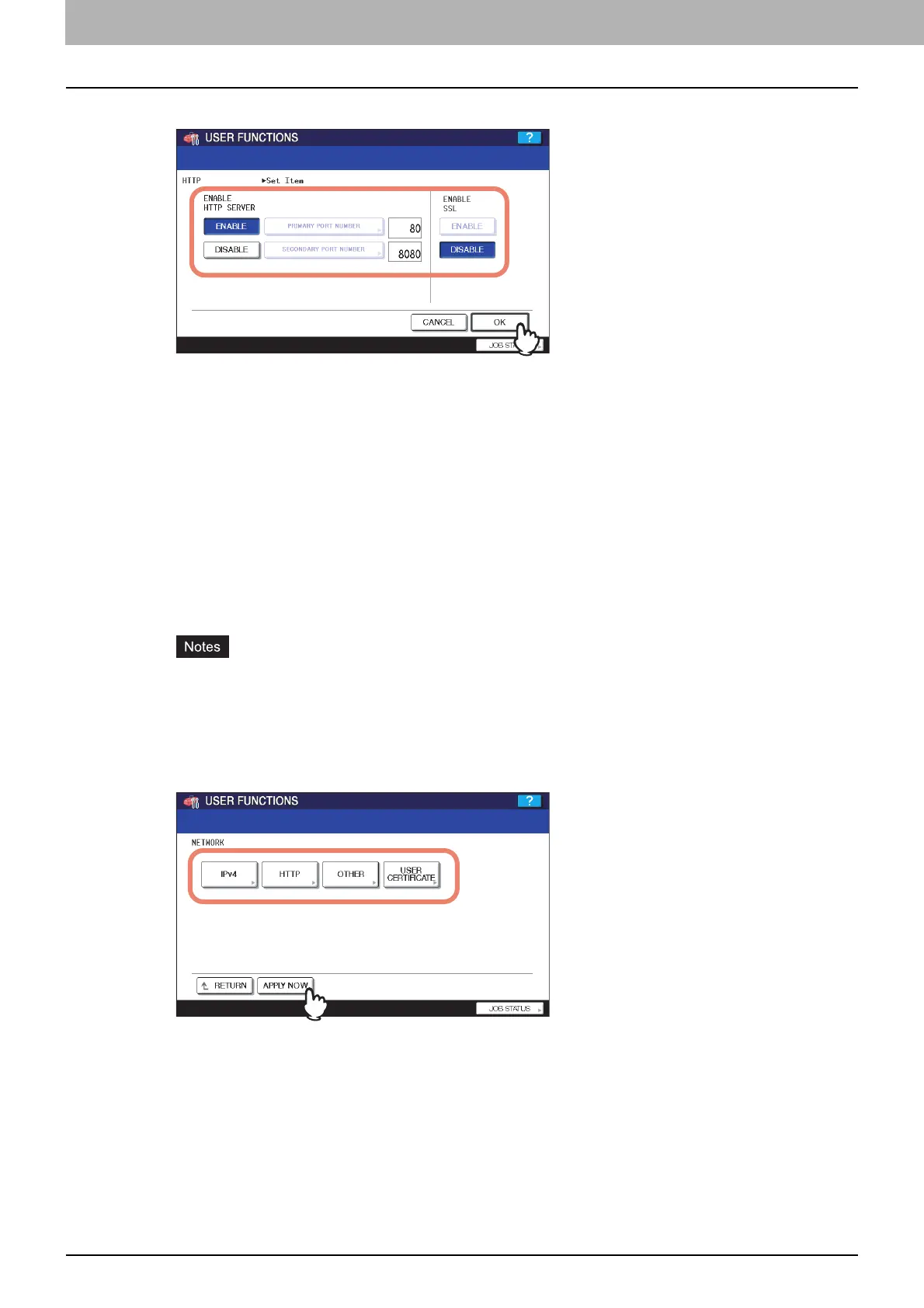
Specify the following items as required and press [OK].
ENABLE HTTP SERVER — Press [ENABLE] to enable the HTTP network server service, or [DISABLE] to disable
the HTTP network server service. This option must be enabled for using the following functions:
y TopAccess
y The e-Filing web utility
y GA-1211/GA-1310 specific print functions
y GA-1211/GA-1310 specific scan functions
[PRIMARY PORT NUMBER] — The default primary port number “80” is always used. This port number cannot be
changed.
[SECONDARY PORT NUMBER] — The default secondary port number “8080” is always used. This port number
cannot be changed.
ENABLE SSL — Press [ENABLE] to enable SSL for accessing TopAccess and the e-Filing web utility, or
[DISABLE] to disable SSL for accessing TopAccess and the e-Filing web utility. When this option is enabled, the
data transferred between the equipment and client computers will be encrypted using a private key when operating
TopAccess and the e-Filing web utility.
y To enable SSL, you must create a self-signed certificate in the equipment or import a server certificate using
TopAccess. If the self-signed certificate is not created or the server certificate is not imported, SSL cannot
be enabled. For details on SSL, refer to the TopAccess Guide.
y To use the GA-1211/GA-1310 specific scan functions (the Fiery Remote Scan utility and [SMB/FTP/
OTHER]), SSL must be disabled.
4
Continue to another network setting if required, then press [APPLY NOW].
The “NETWORK INITIALIZING” message is displayed and the equipment starts initializing the network interface
card to apply the changes.



 To Next Page
 Loading...


