•
Every time...
Horizontal
(Left-Right)
Swing
Vertical
(Up-Down)
Swing
Up-Down
Left-Right
Swing
Swing
off
Swing direction changes.
When changing the air to the
vertical direction, release the
left side at the desired position.
(
PiPi
at the lower limit).
When changing the air to the
horizontal position, release
the right side at the desired
position.
(
PiPi
sounds at the center
position).
Setting for air flow
Page 19
•
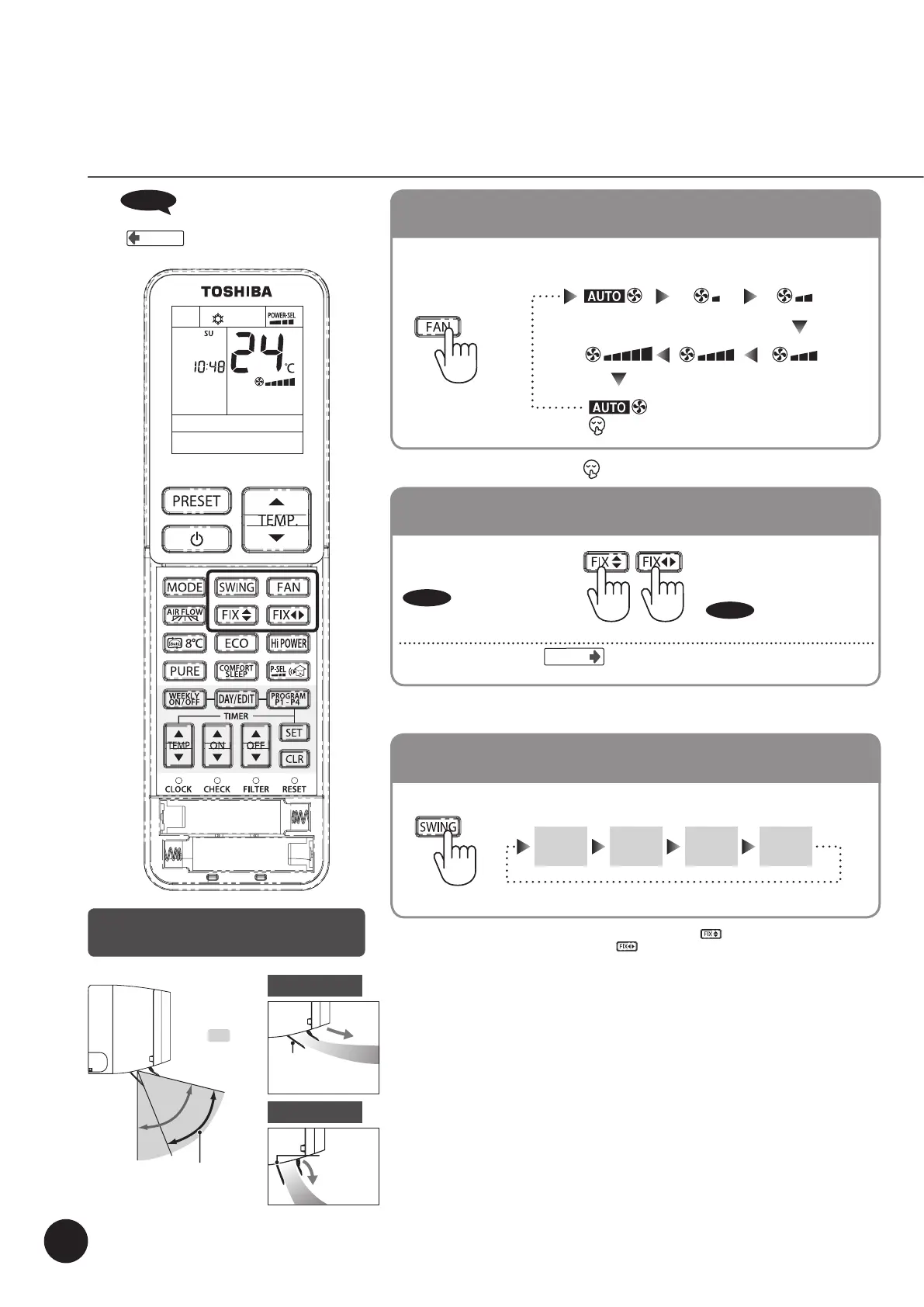
Comfort air direction can be selected as a Wide air flow and Spot air flow.
Air volume, Air direction and
Swing louvers
Movement of vertical air
direction louvers
•
Every time...
When pressed during Auto, Cooling, Fan only and PURE.
Changing the air volume, press FAN
•
When the air volume is set to “Quiet ( )”, the air volume becomes “Automatic”.
Changing the air direction, press FIX
•
When pressed the vertical and horizontal louver modes change one step.
•
Do not move the air direction louvers by hand adjust only with the remote control.
Swing louvers operation, press Swing
•
When changing the middle vertical direction louver, press the button and to change the
middle horizontal direction louver, press the
button again. To see current air direction, release
the swing functions.
When
PiPi
sounds,
it indicates the operation setting returns to the original
setting.
Page 9
Cooling operation
(Default setting)
Heating operation
(Default setting)
Louver for
air flow direction
up and down
Louver for
air flow
direction up
and down
The shows
the range of air
flow direction
operation.
The range of
swing operation.
18



 To Next Page