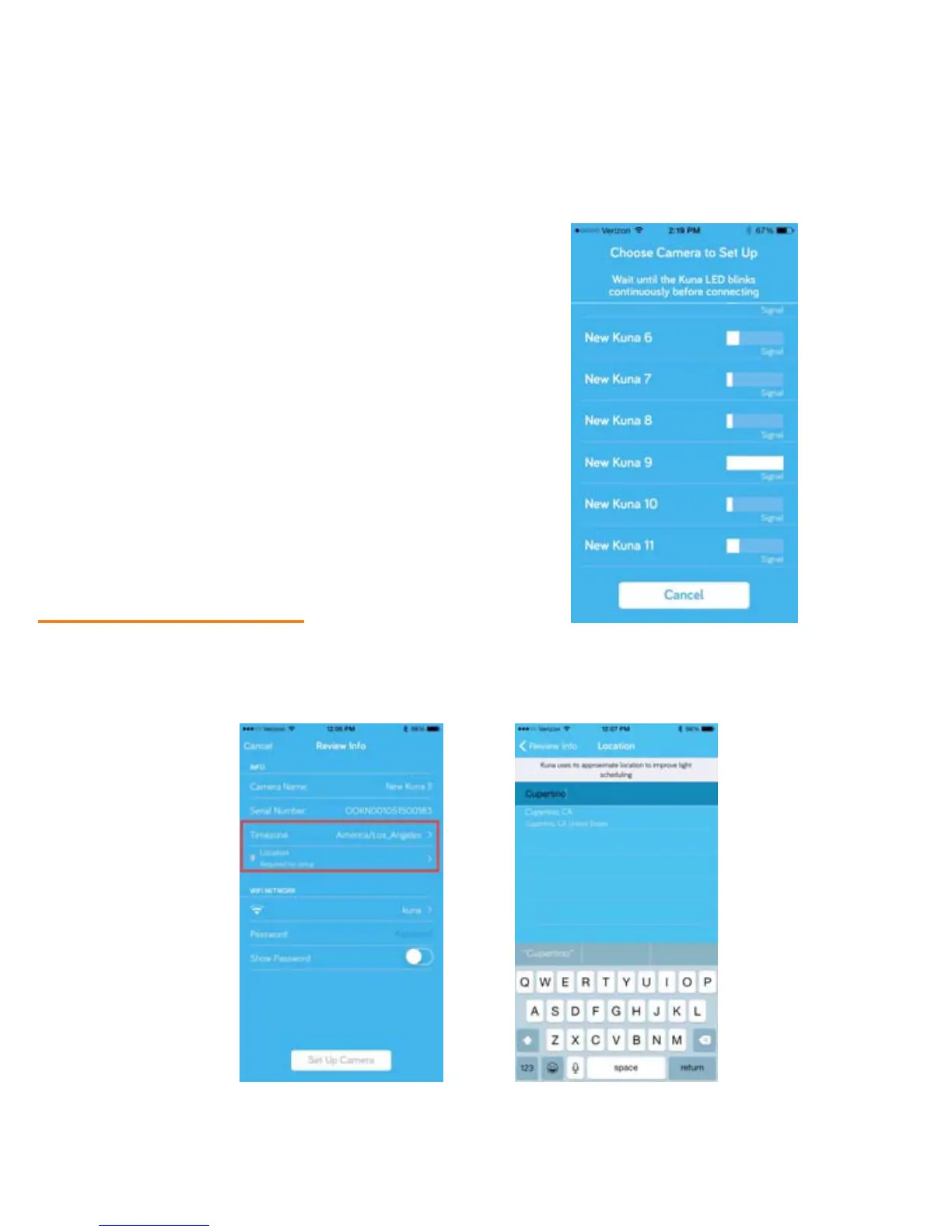
If the app displays multiple Toucans,
the one you’re setting up should
have the strongest Bluetooth
signal. Make sure you’re standing
close to it.
Plea
se note: If you are setting up
multiple Toucans, you will need to
go through this set-up process for
each new Toucan, starting at Step 4.
This allows you to set different
locations and Wi-Fi networks for
each Toucan, if you wish.
Step 5 - Set Your Location
Connecting to your Toucan can take up to a minute. Once the app connects, set your time zone and
enter your city (or a city within 100 miles or so) under location. Toucan uses your approximate location
to make your light schedule more accurate. You DO NOT need to provide your full address.
14


 To Next Page