3.6 USB2.0 Driver Installation
OS Requirements
OS USB 2.0 requirements
Windows
XP
USB 2.0 drivers are provided in Service Pack 1 (SP1) for Windows XP, which is
available through Windows Update.
Windows
2000
USB 2.0 drivers are available through Windows Update or Service Pack 4.
Windows
98SE/Me
USB 2.0 drivers are available on the Intel developer site.
Windows 98
(Retail)
Developers and OEMs should contact Orange Ware. For end-users, if your device
does not ship with Windows 98 drivers, contact your device or system manufacturer.
If USB 2.0 drivers are not available, your device will operate at USB 1.1 speeds
Linux
USB 2.0 support is available in kernel 2.4.19 or later development kernels, or in the
2.4.19 or later production kernel. More information.
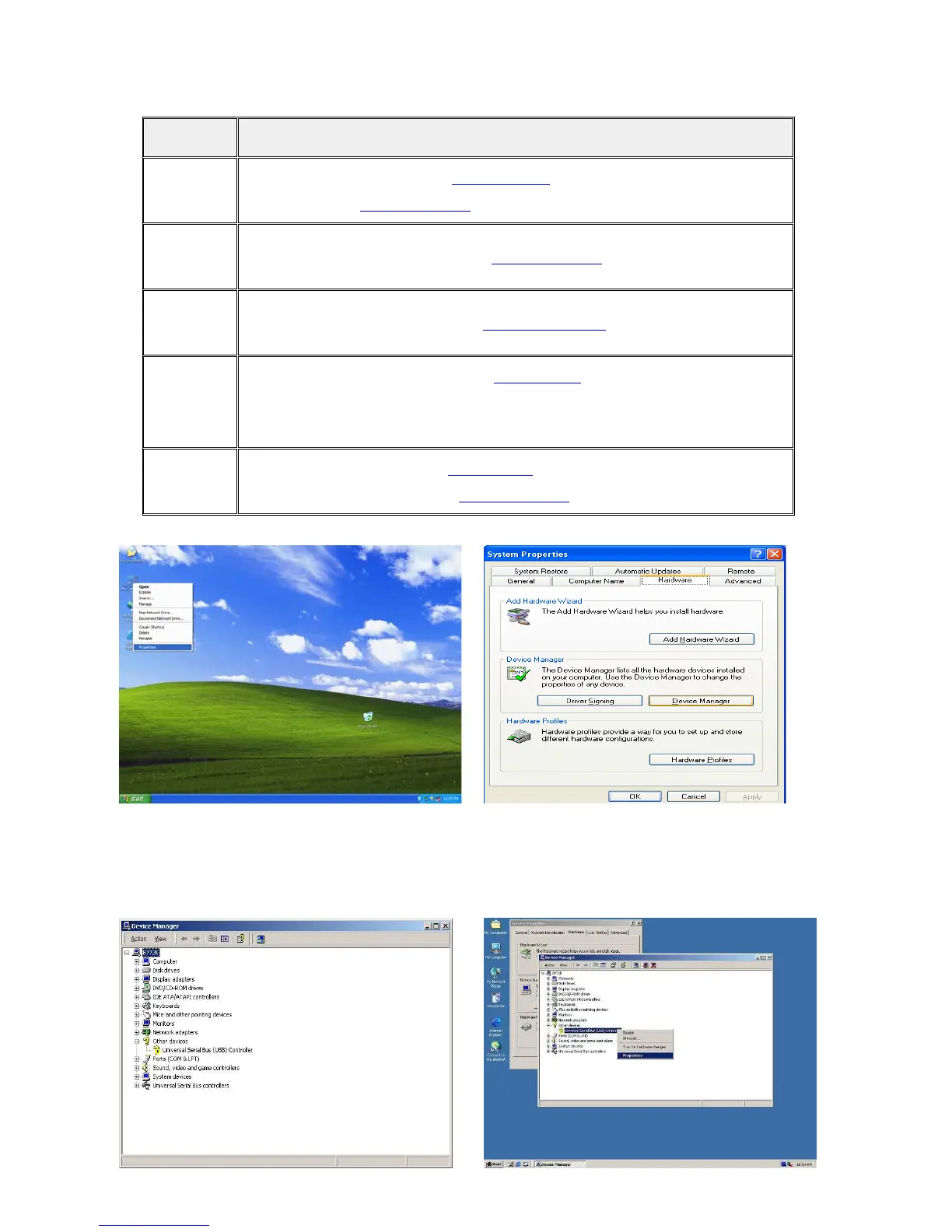
a. Right click My Computer on the desktop
and select “properties”
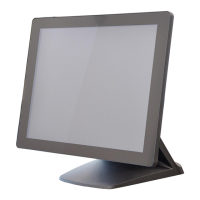
b. Select “Hardware”Æ”Device Manager”
on system properties.
14


 To Next Page