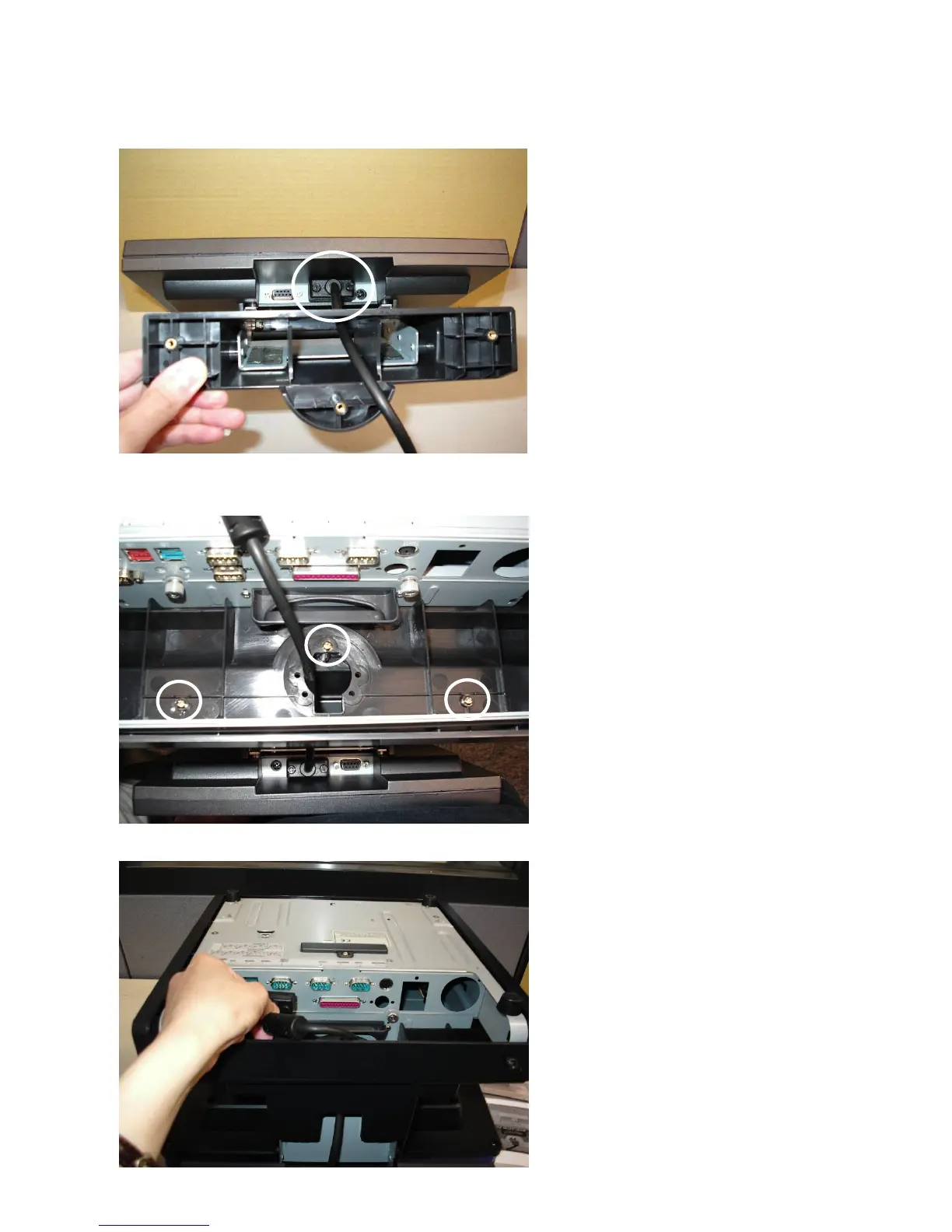
4.4 Second Display Installation
Please switch off the system power before connecting the second display.
a. Connect the VGA cable (male)
into the second display.
b. Mount the second display on the
rear of the system and tighten the
screws (3) on the supporter (All
these screws are behind the
supporting pole).
c. Connect the other end of the
VGA cable (female) into the
system.
22


 To Next Page