5.3. Replace the Power Supply
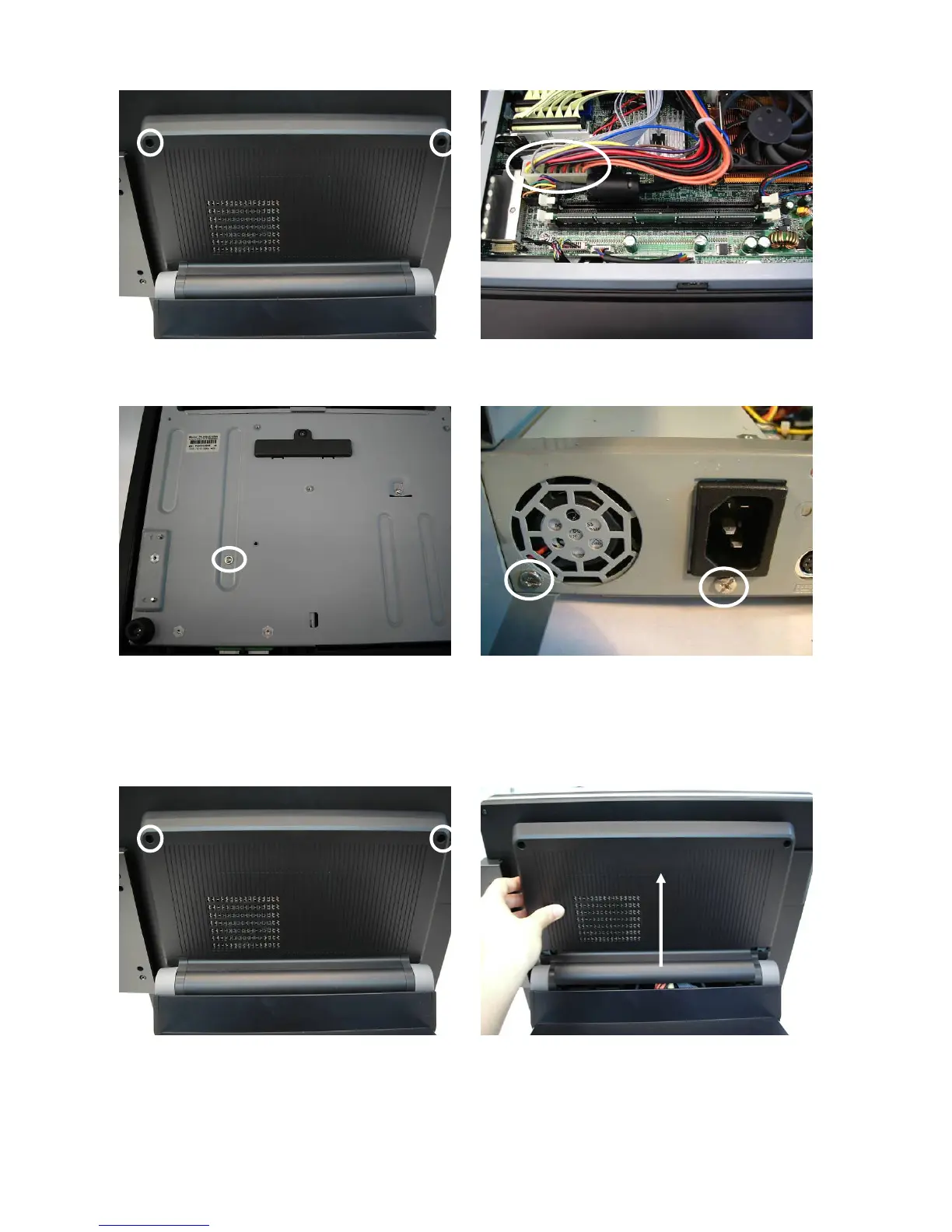
a. Remove the screws (2). b. Disconnect the 20pin cable (1).
c. Remove the screw (1). d. Remove the screws (2).
You can now remove the power supply.
5.4. Replace the CPU and RAM
a. Remove the screws (2). b. Lift the cover up and remove it.
25


 To Next Page