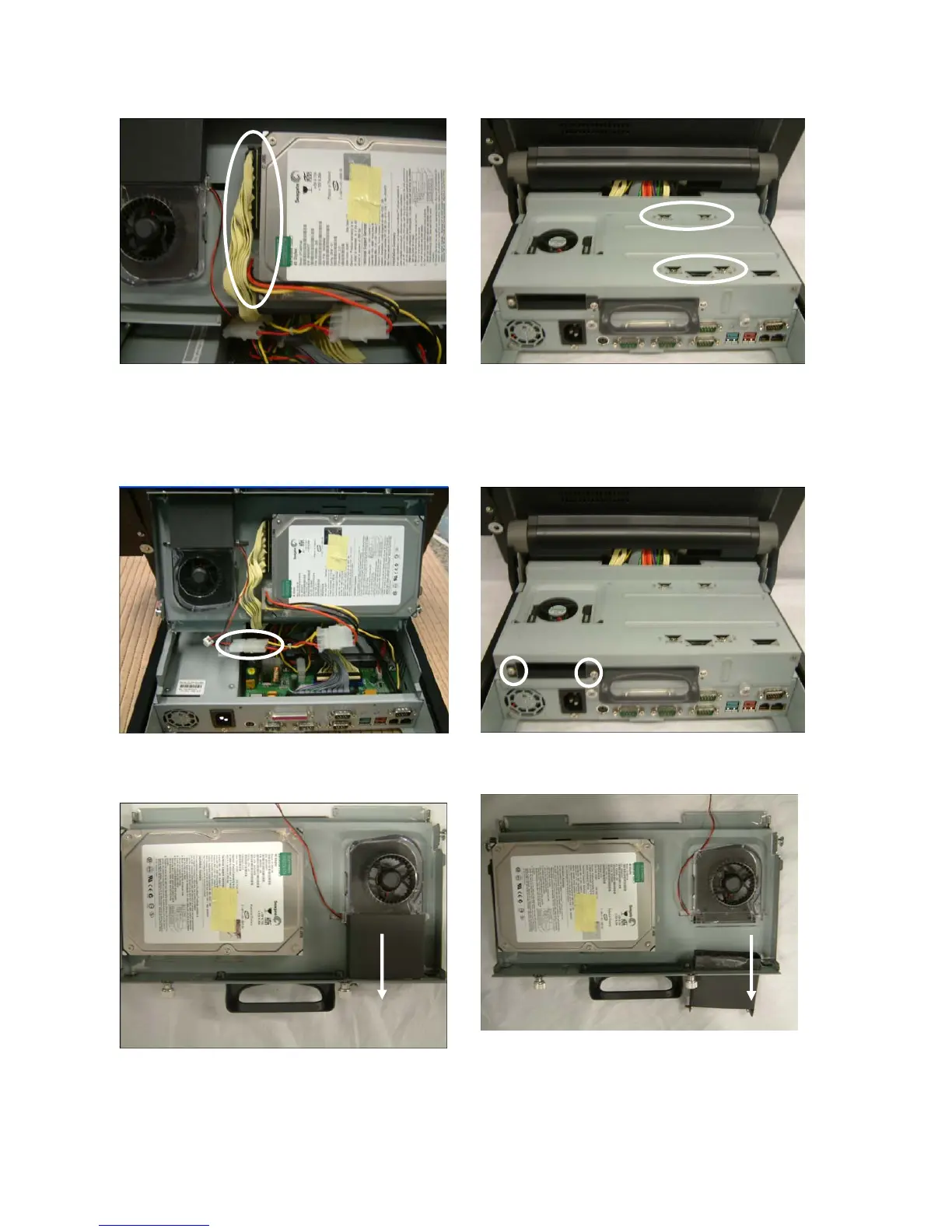
5.2. Replace the HDD/ Fan
To replace the HDD, please first follow the steps in chapter 5.1.
a. Disconnect the IDE cable (1) and power
cable (1).
b. Remove the screws (4) to replace the
HDD.
To replace the Fan, please first follow the steps in chapter 5.1.
c. Disconnect the cable (1). d. Remove the screws(2)
e. Remove the gray plastic box in the
direction as shown.
f. Slide the fan in the direction as shown
and remove it .
24


 To Next Page