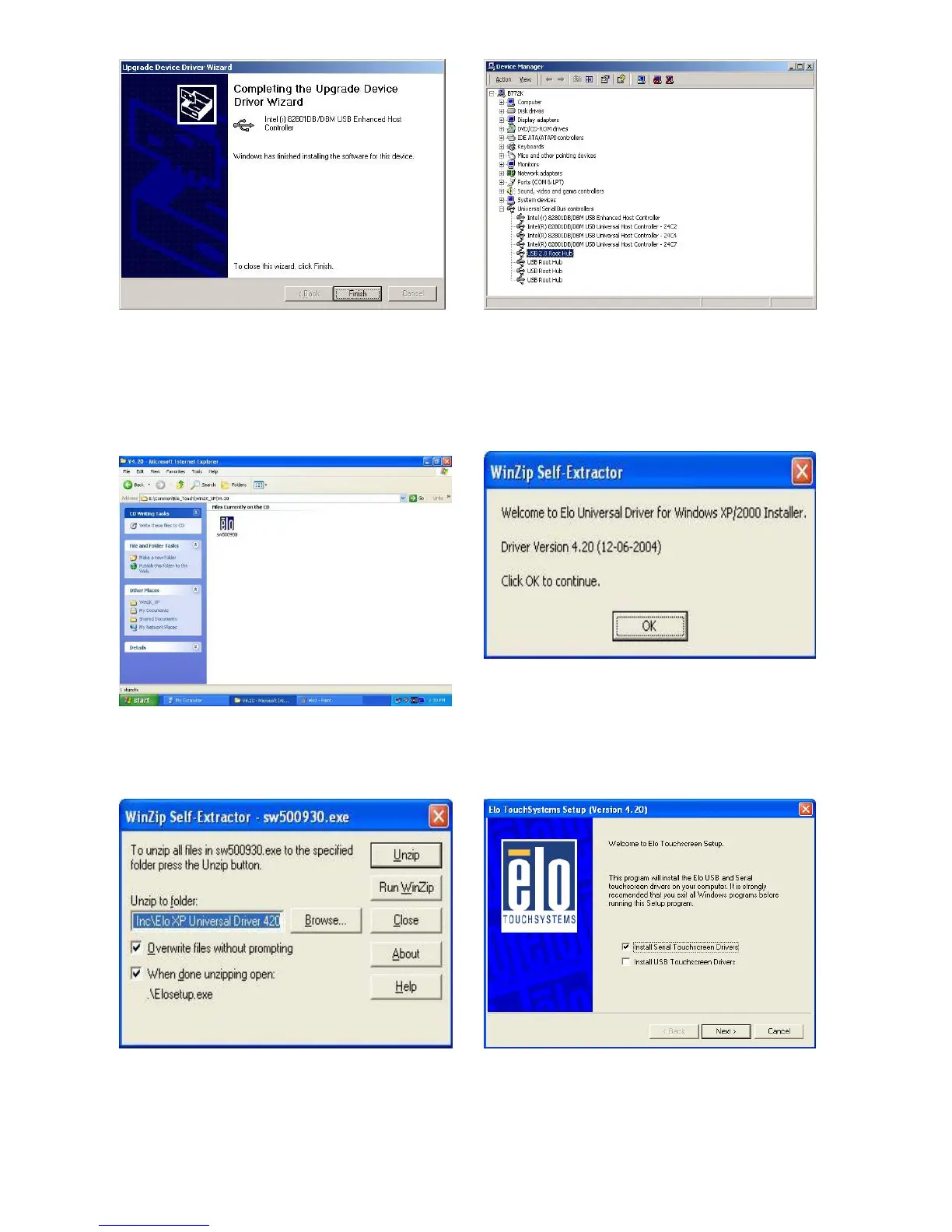
j. Click the “Finish” button to complete this
process.
k. Finished.
3.7 ELO Touch Screen Driver Installation
a. Click ”sw500930” on the My computer
window.
b. Click the “OK” button on the Welcome
window.
c. Click the ”Unzip” button on the WinZip
Self-Extractor window.
d. Select “Install Serial Touchscreen
Drivers” and then click the “Next” button
on the Welcome window.
16


 To Next Page