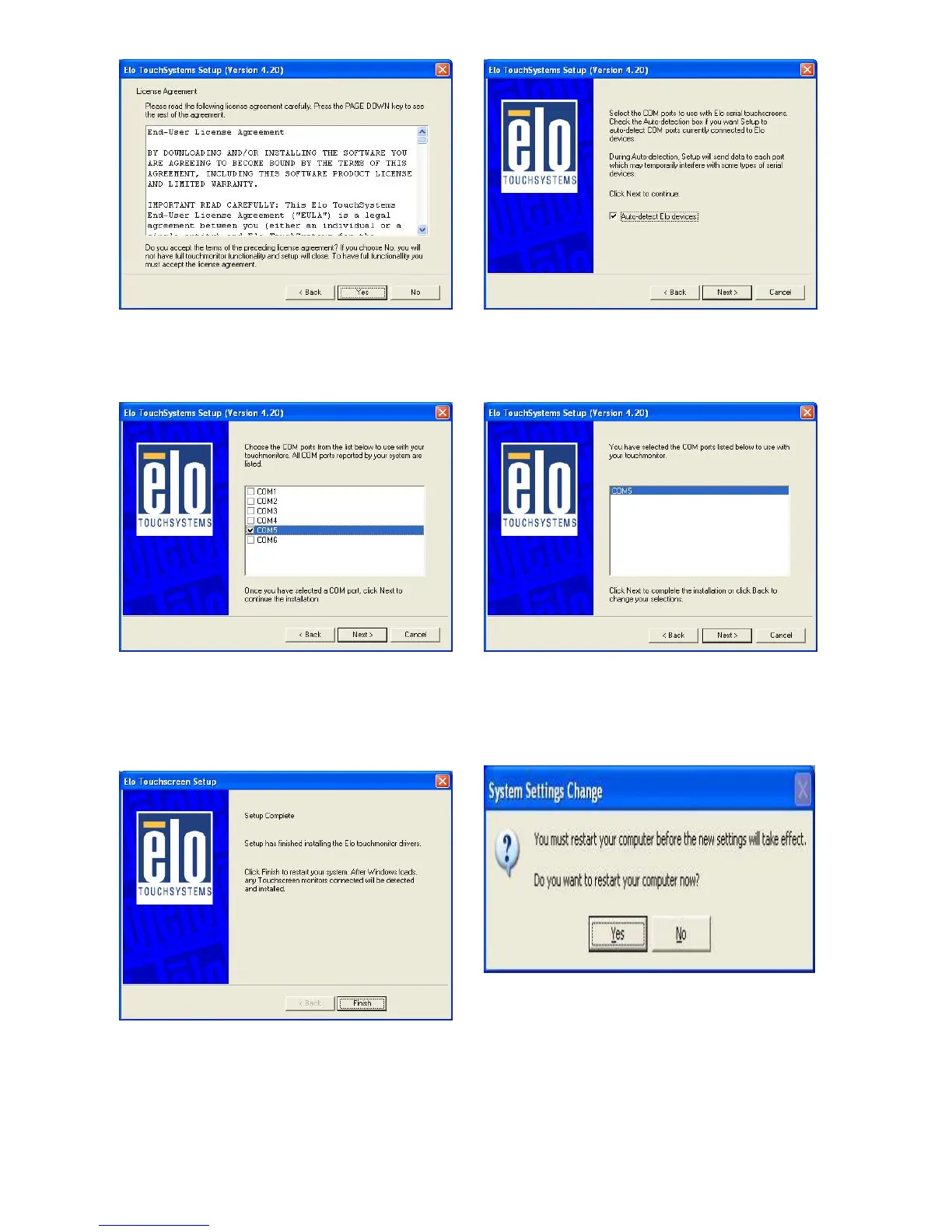
e. Click the “Yes” button on the License
Agreement window.
f. Click the “Next” button on the on the
“Select the COM ports…” window.
g. Select “COM5” and click the “Next”
button on the Choose the COM ports…
window.
h. Click the “Next” button on the You have
selected the COM ports…window.
i. Click the “Finish” button on the Setup
Complete window
j. Click the “Yes” button and restart your
system.
17


 To Next Page