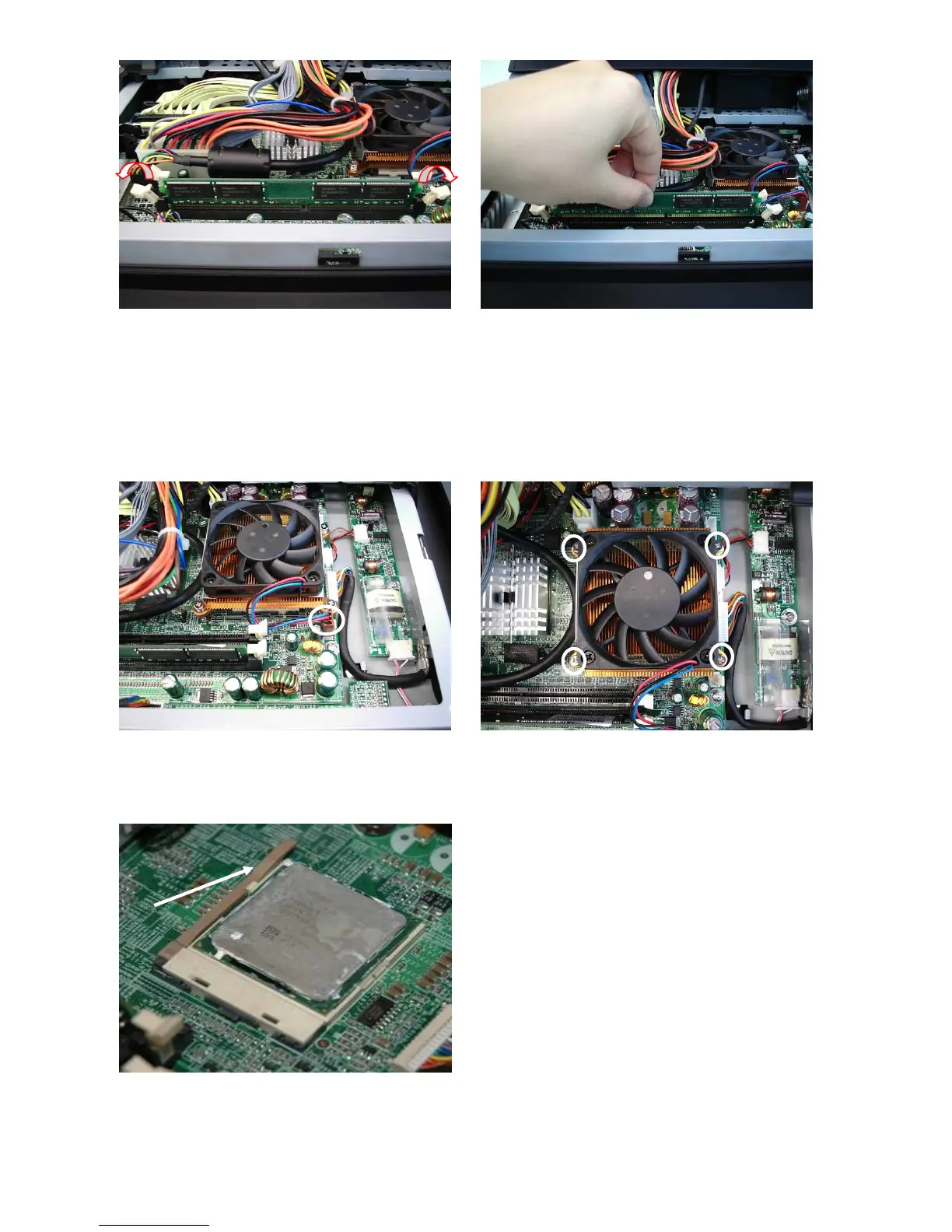
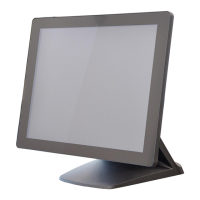
c. The memory slots are located on the
mainboard. To remove the memory
module, use your finger to push the
DIMM slot ejector clips into the down
position.
d. Remove the memory module from the
slot.
e. Disconnect the fan cable. f. Remove the screws (4) to remove the
heatsink and the fan.
g. To remove the CPU, push the CPU
socket lever down and away from the
socket, and lift it up.
26


 To Next Page