Toyopuc PC3/PC2 Ethernet Driver
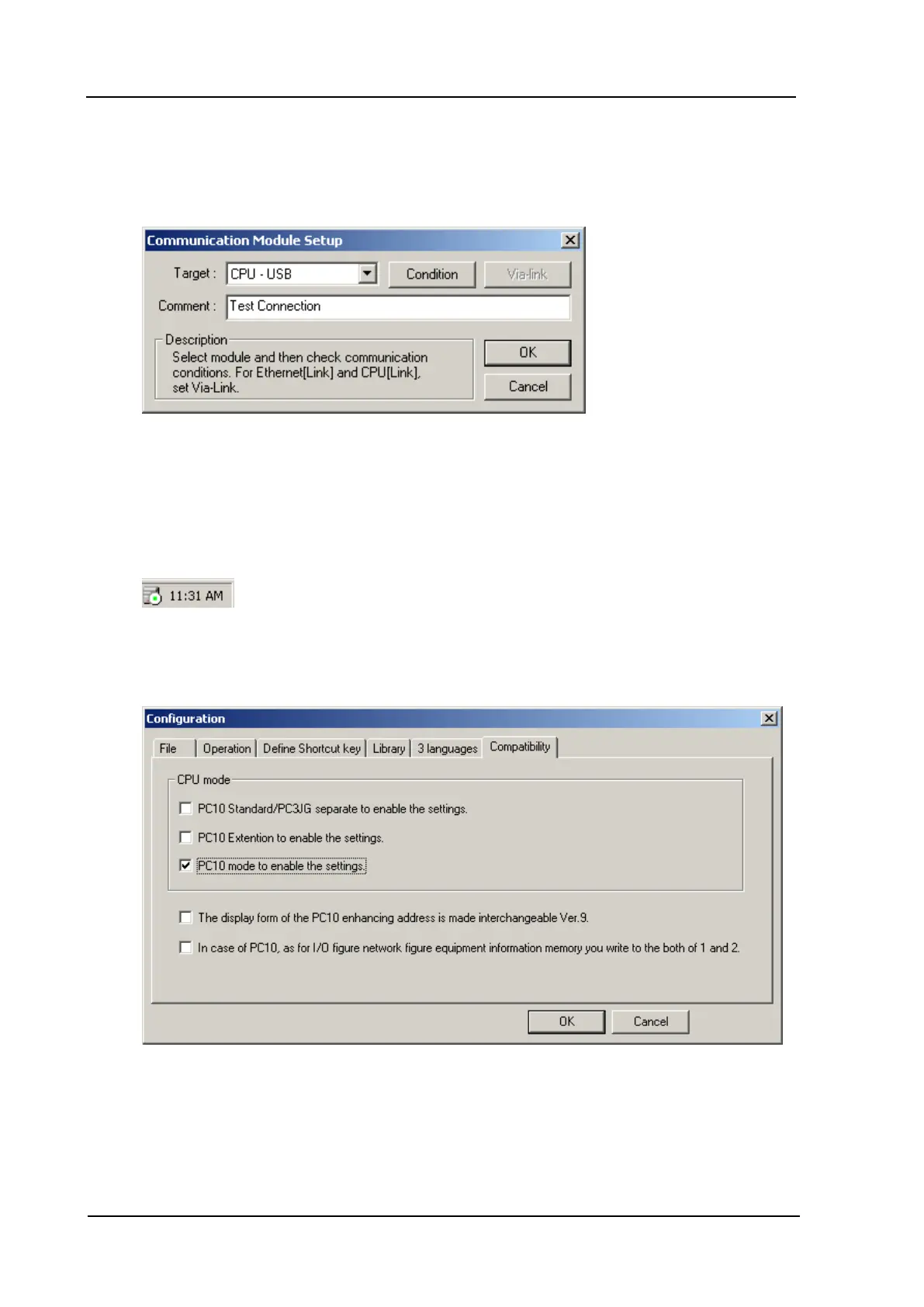
2. To setup the communication between PCWin and PC10G-CPU, click Setup | Setup Communication
Module. If it is the first time configuring PCWin, select Addition and then make the selections as
shown below.
3. Next, make sure that the COM_SERV icon (shown on the bottom right side of the screen) appears as
shown below. The red icon indicates that the connection between PCWin and PC10G-CPU hasn't been
established yet. There are two possible solutions:
l Check the cable connections.
l Reinstall the USB driver that came with the PCWin setup.
4. Optional: To monitor PC10G data from PCWin, go to the menu bar and click Option |
Configuration. Then, select Compatibility and make the selections as shown in the image below.
5. Back in the Project Window, select the Project tab. Then, click Parameters | Link Parameter.
www. kepware.com
37



 To Next Page