47
Chapter 6
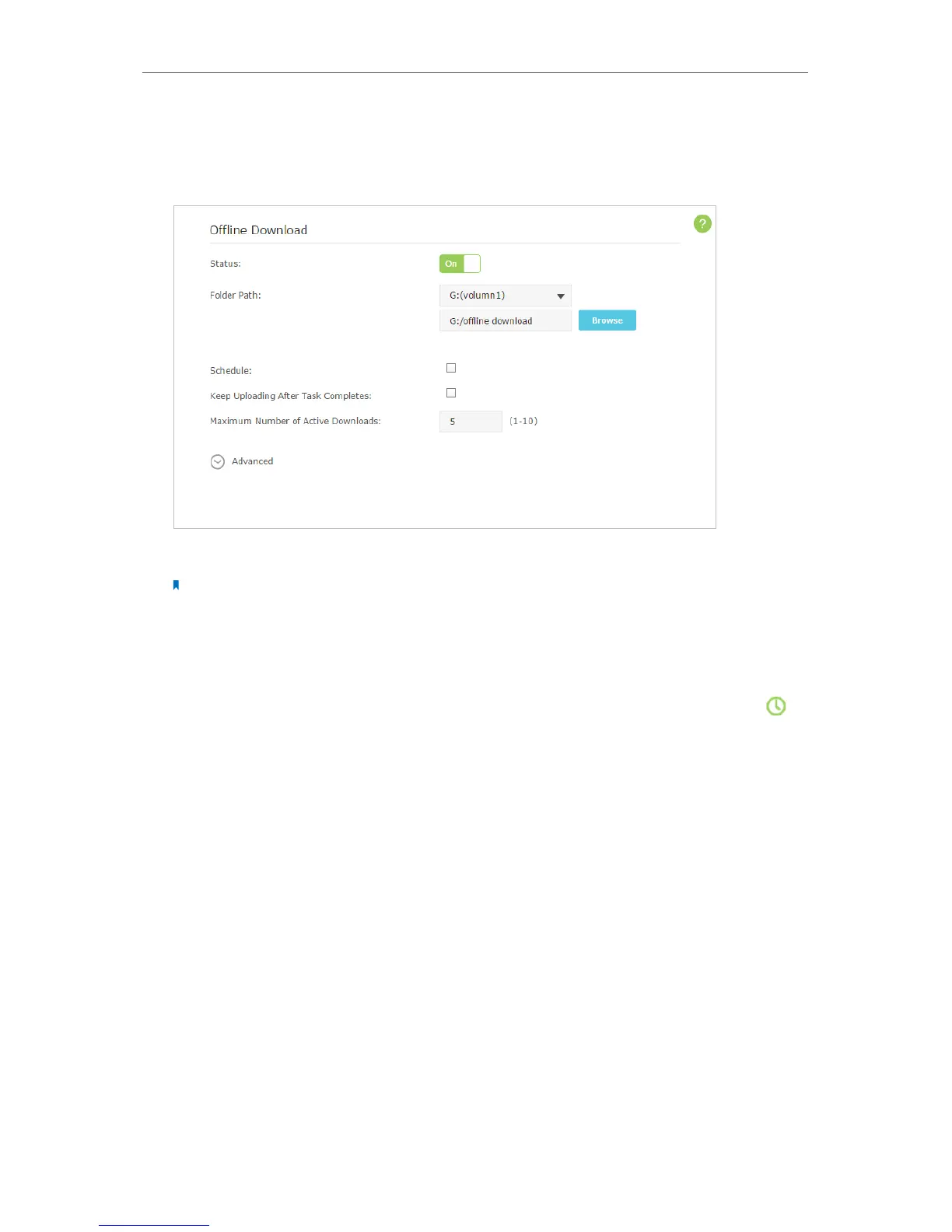
3. Go to Advanced > USB Settings > Offline Download and toggle On to enable the
Offline Download feature.
4. Select a directory path to store or cache your downloads.
Note:
Don’t change the directory path or unmount the USB storage device when uploading or downloading files;
otherwise some fatal errors may occur.
5. Customize the settings as needed. Click Save to make the settings effective after
changing the settings.
• Schedule: You can select the checkbox to enable the feature and click to
specify the time period(s) to download or upload files.
• Keep Uploading After Task Completes: You can select the checkbox to keep
uploading data of the completed download(s) to others.
• Maximum Number of Active Downloads: You can enter a value between 1 and
10 to set the maximum number of active downloads. The default value is 5.
6. Click Add, then choose the source of your download. If it is a torrent file, select its
location; if it is a URL, enter it. Click OK.



 To Next Page