101
Chapter 13
13. 10. Monitor the Internet Traffic Statistics
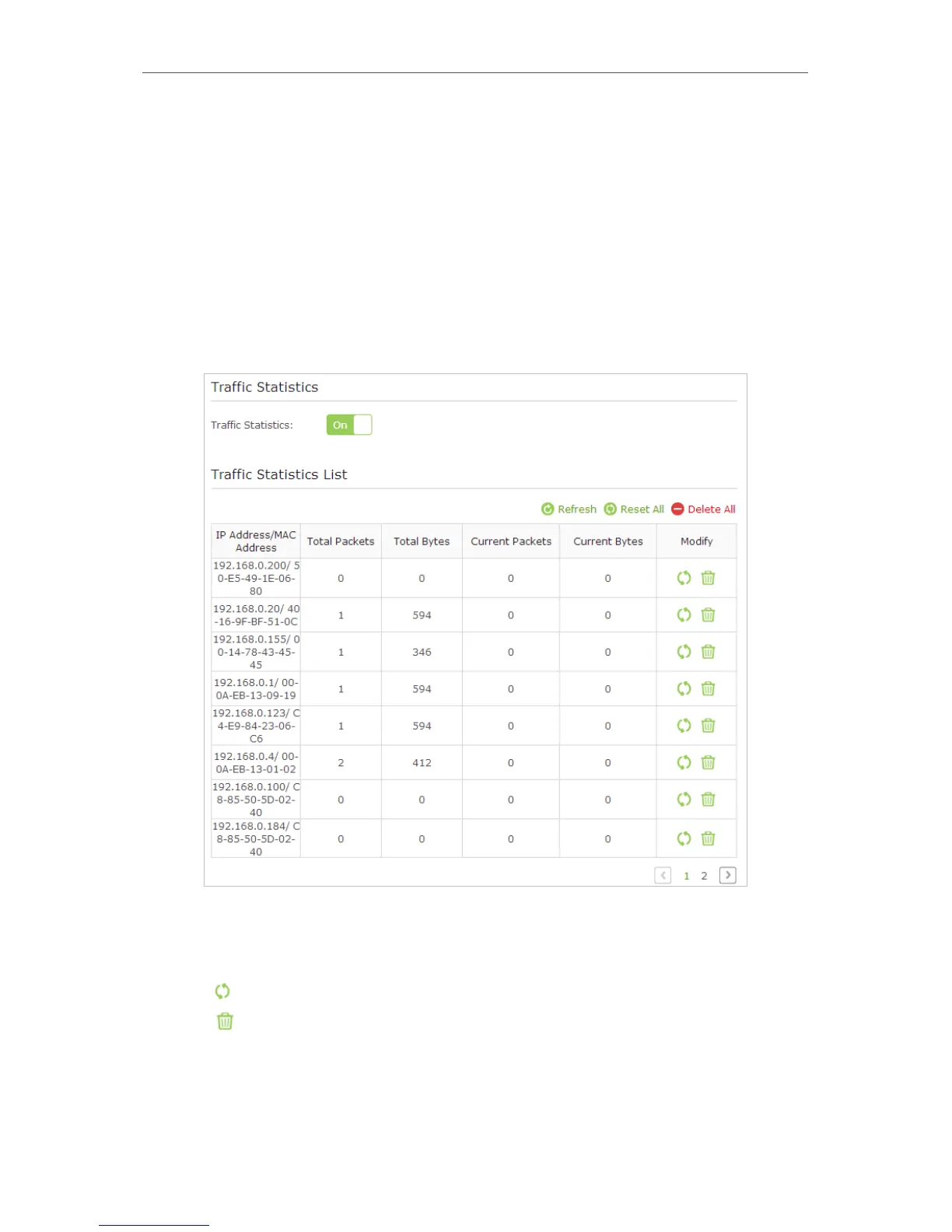
The Traffic Statistics page displays the network traffic of the LAN, WAN and WLAN sent
and received packets, allows you to monitor the volume of Internet traffic statistics.
1. Visit http://tplinkwifi.net, and log in with the username and password you set for the
router.
2. Go to Advanced > System Tools > Traffic Statistics.
3. Toggle on Traffic Statistics, and then you can monitor the traffic statistics in Traffic
Statistics List section.
Click Refresh to update the statistic information on the page.
Click Reset All to reset all statistic values in the list to zero.
Click Delete All to delete all statistic information in the list.
Click to reset the statistic information of the specific device.
Click to delete the specific device item in the list.



 To Next Page