62
Chapter 9
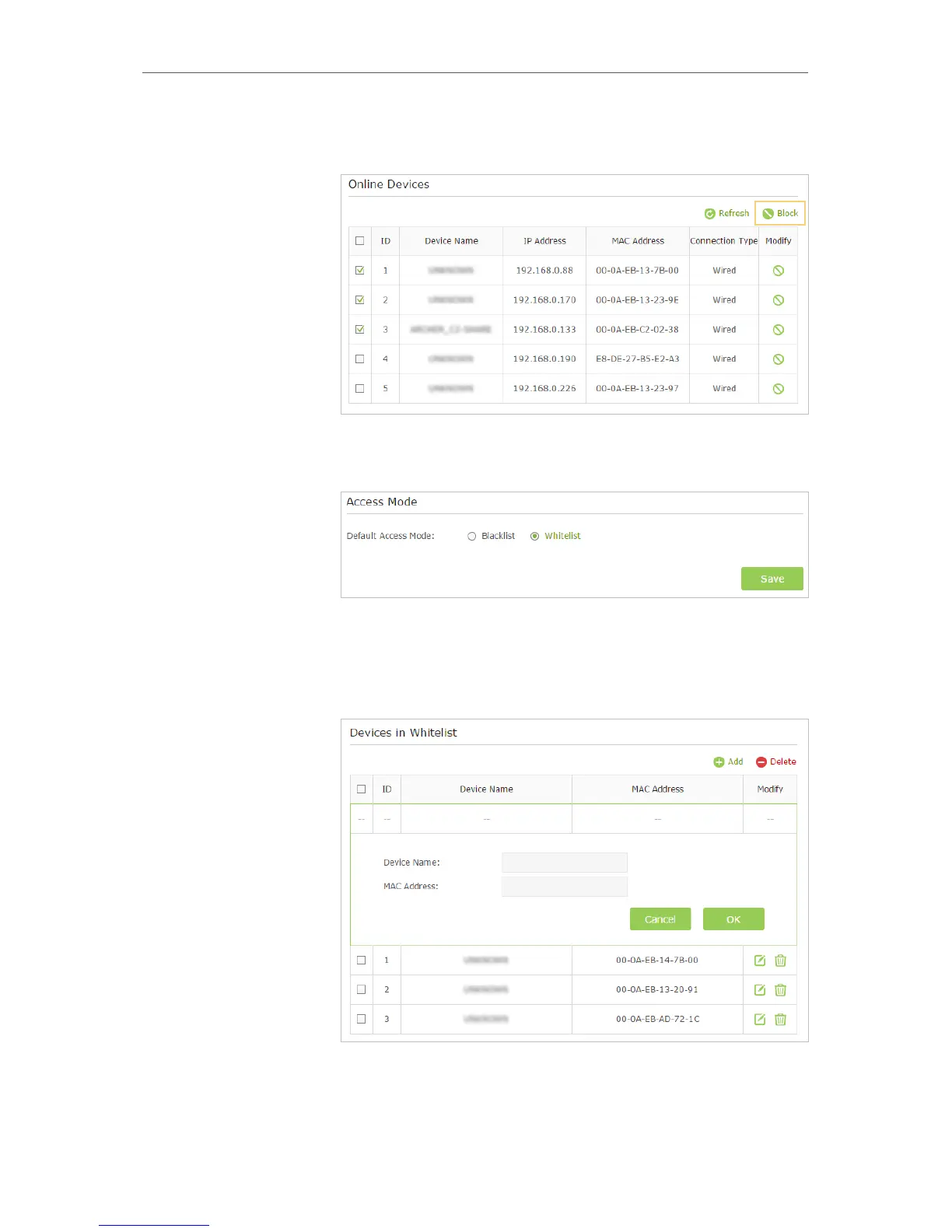
3 ) Click Block above the Devices Online table. The selected
devices will be added to Devices in Blacklist automatically.
To allow specific device(s)
1 ) Select Whitelist and click Save.
2 ) Click Add in the Devices in Whitelist section. Enter the
Device Name and MAC Address (You can copy and paste
the information from the following list if the device is
connected to your network).
3 ) Click OK.
Now you can block or allow specific client devices to access your
network (via wired or wireless) using the Blacklist or Whitelist.
Done!



 To Next Page