11
Chapter 3
Log In to Your 4G LTE Router
With a web-based management page, it is easy to configure and manage the Archer
MR400 AC1350 Wireless Dual Band 4G LTE Router. The Web-based management
page can be used on any Windows, Macintosh or UNIX OS with a web browser, such as
Microsoft Internet Explorer, Mozilla Firefox or Apple Safari.
Follow the steps below to log in to your router.
1. If the TCP/IP Protocol on your computer is set to the static (fixed) IP address, you
need to change its settings to obtain an IP address automatically. Refer to FAQ to
configure your computer.
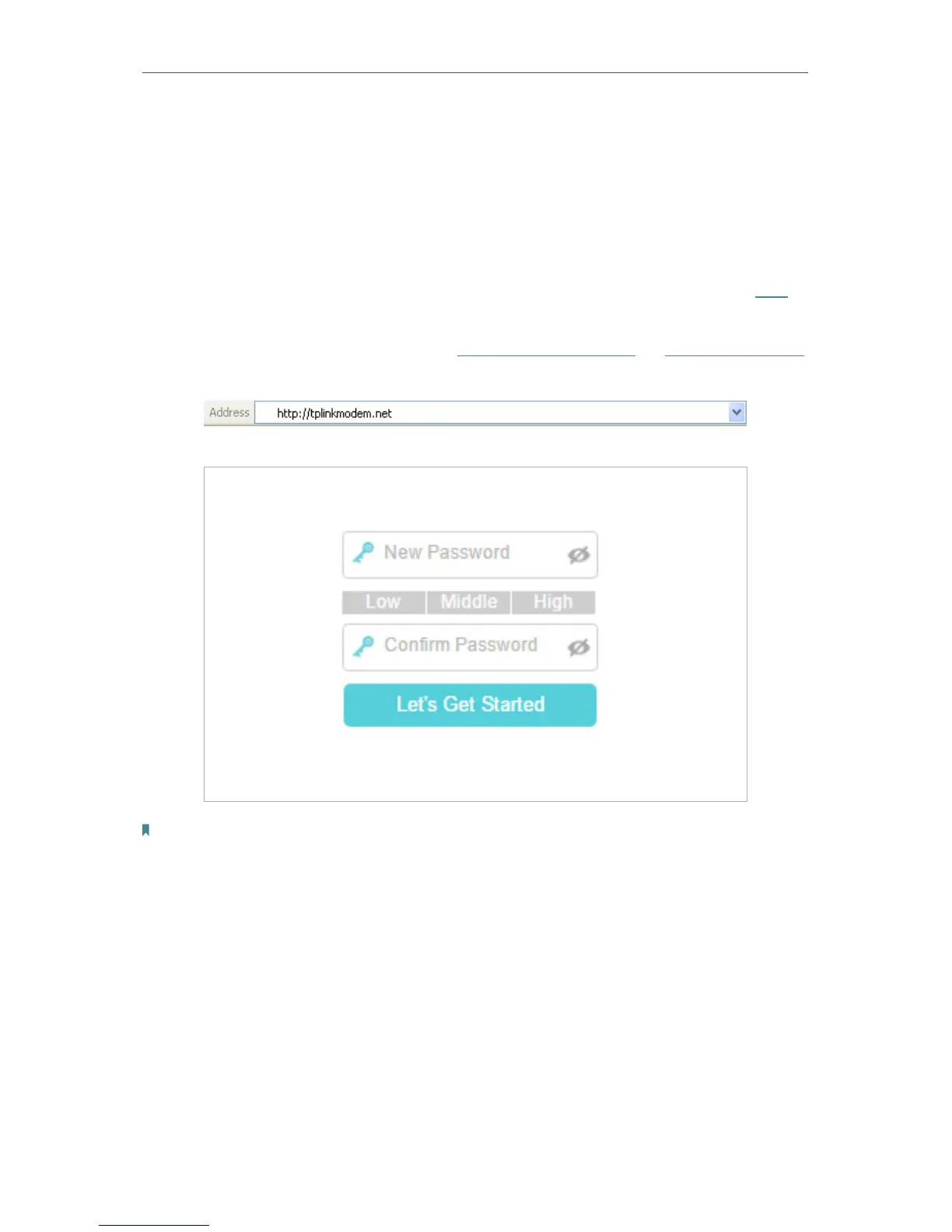
2. Launch a web browser and type in http://tplinkmodem.net or http://192.168.1.1.
Set a strong password using 1-15 characters and click Let’s Get Started.
Note: For subsequent logins, use your password that you have created.















 To Next Page