113
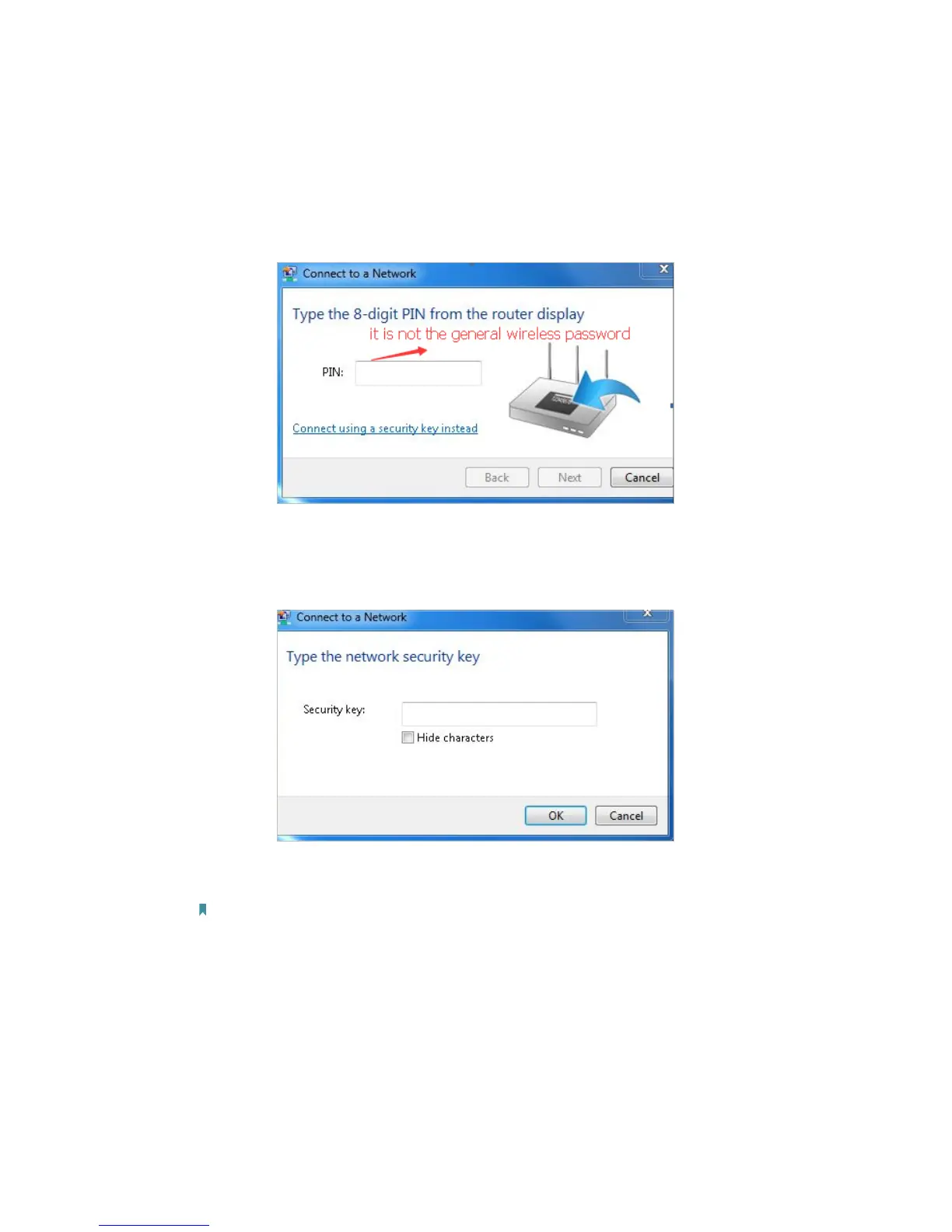
1. Authentication problem: Network Security Key Mismatch.
1 ) Sometimes you will be asked to type in a PIN number when you connect to
the wireless network for the first time. This PIN number is different from the
Wireless Password/Network Security Key, usually you can only find it on the
label of your modem router.
2 ) If you cannot find the PIN or PIN failed, you may choose “Connecting using
a security key instead”, and then type in the Network Security Key/Wireless
Password;
3 ) If you continue to be told there is a network security key mismatch, it is
suggested to check the wireless password on your modem router.
Note: Wireless password/Network Security Key is case sensitive.












 To Next Page