37
Chapter 8
USB Settings
1. When your USB disk is inserted into the modem router, your DLNA-supported
devices (such as your computer and tablet) connected to the modem router can
detect and play the media files on the USB disks.
2. Refer to the following table for detailed instructions.
Windows
Computer
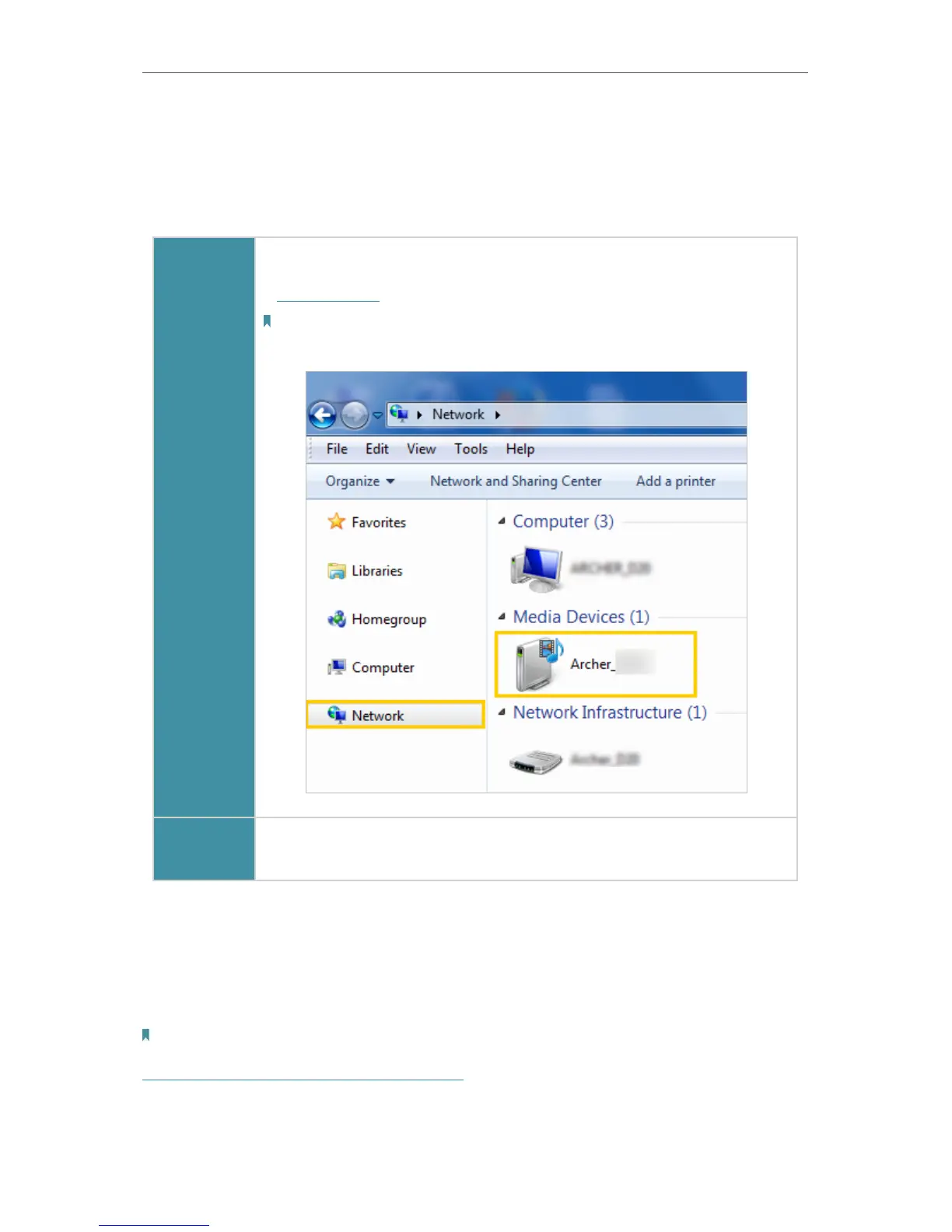
• Go to Computer > Network, then click the Media Server Name (Archer_
model number by default) in the Media Devices section.
Note:
Here we take Windows 7 as an example.
Smart
device
• Use a third-party DLNA-supported player.
8. 3. Printer Sharing
The feature of Printer Sharing helps you share a printer with different computers
connected to the modem router.
Note:
Printers unlisted on this page may be incompatible with the modem router:
http://www.tp-link.com/common/compatible/print-server/.
1. Install the Driver of the Printer












 To Next Page