15
Chapter 4
Set Up Internet Connection
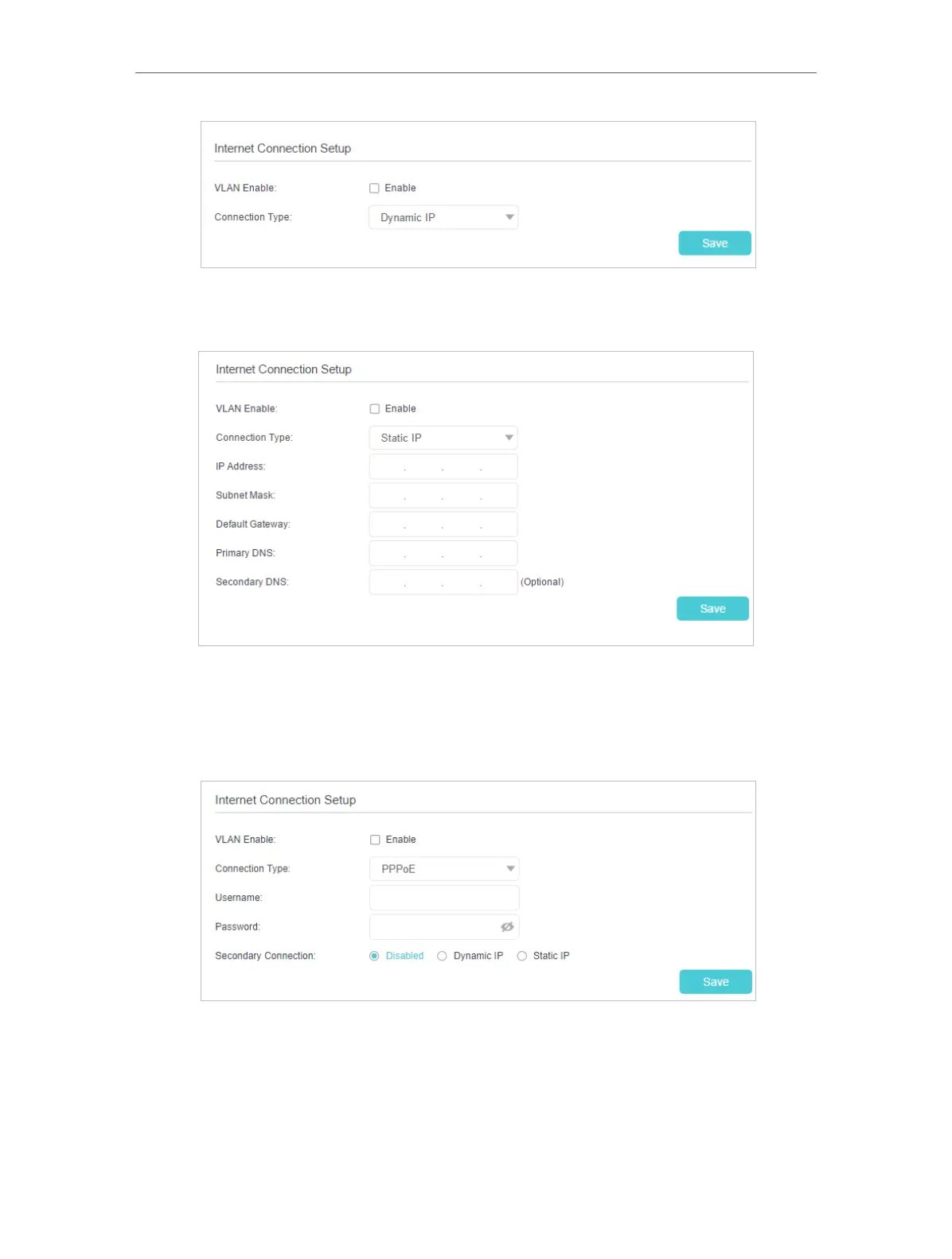
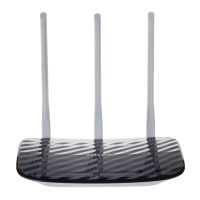
2 ) If you choose Static IP, enter the information provided by your ISP in the
corresponding fields.
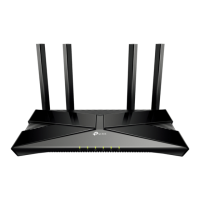
3 ) If you choose PPPoE, enter the Username and Password and choose the
Secondary Connection provided by your ISP. Different parameters are needed
according to the IP Address type you have chosen. PPPoE users usually have
DSL cable modems.
4 ) If you choose L2TP, enter the Username and Password and choose the IP
Address Type provided by your ISP. Different parameters are needed according
to the IP Address type you have chosen.


 To Next Page