60
Chapter 10
VPN Server
Note:
Before you enable VPN Server, we recommend you configure Dynamic DNS Service (recommended) or assign a static
IP address for router’s WAN port and synchronize your System Time with internet.
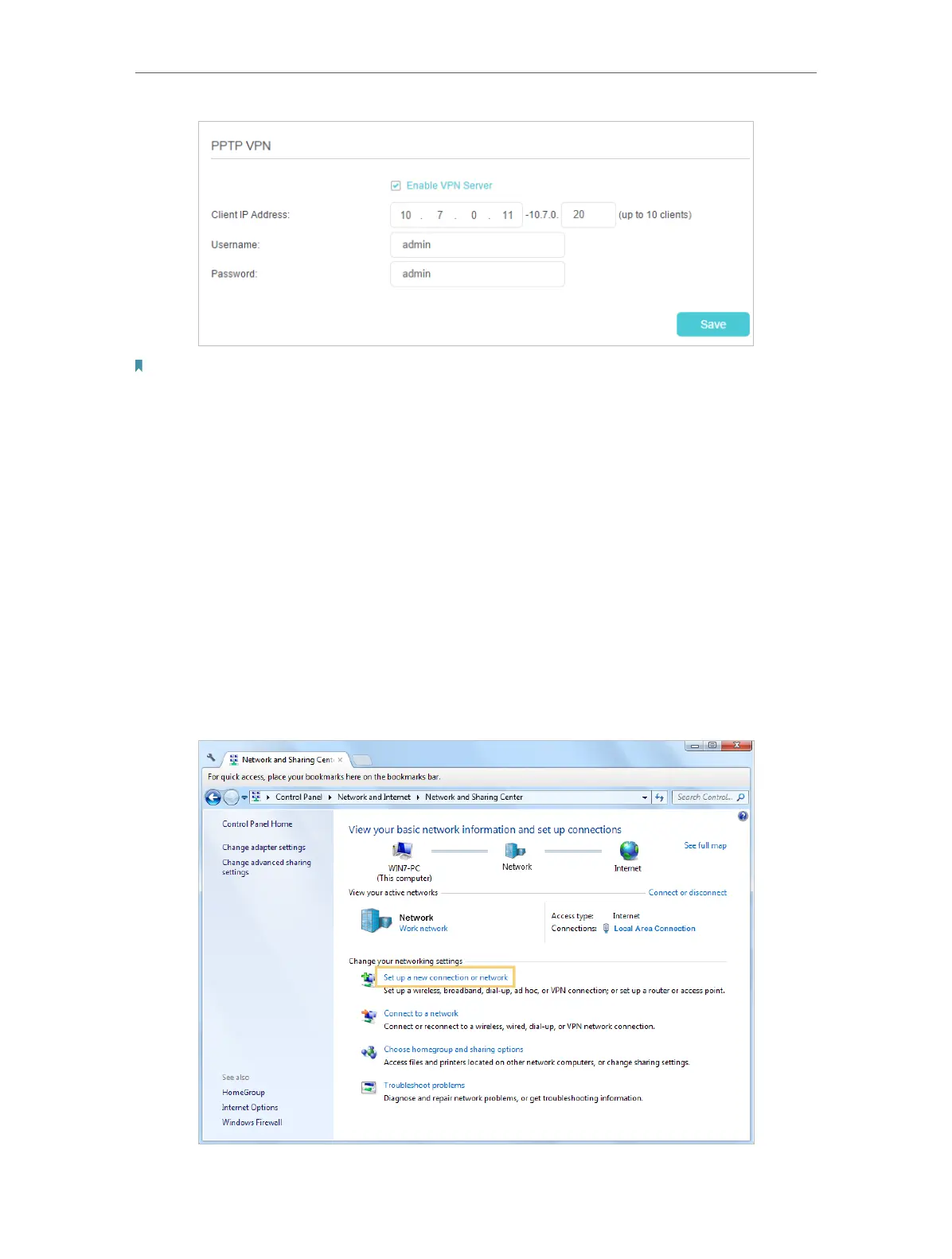
3. In the Client IP Address filed, enter the range of IP addresses (up to 10) that can be
leased to the devices by the PPTP VPN server.
4. Enter the Username and Password to authenticate clients to the PPTP VPN server.
5. Click Save to make the settings effective.
Step 2. Configure PPTP VPN Connection on Your Remote Device
The remote device can use the Windows built-in PPTP software or a third-party PPTP
software to connect to PPTP Server. Here we use the Windows built-in PPTP software
as an example.
1. Go to Start > Control Panel > Network and Internet > Network and Sharing Center.
2. Select Set up a new connection or network.



 To Next Page