12
Set Away Mode
Away Mode:
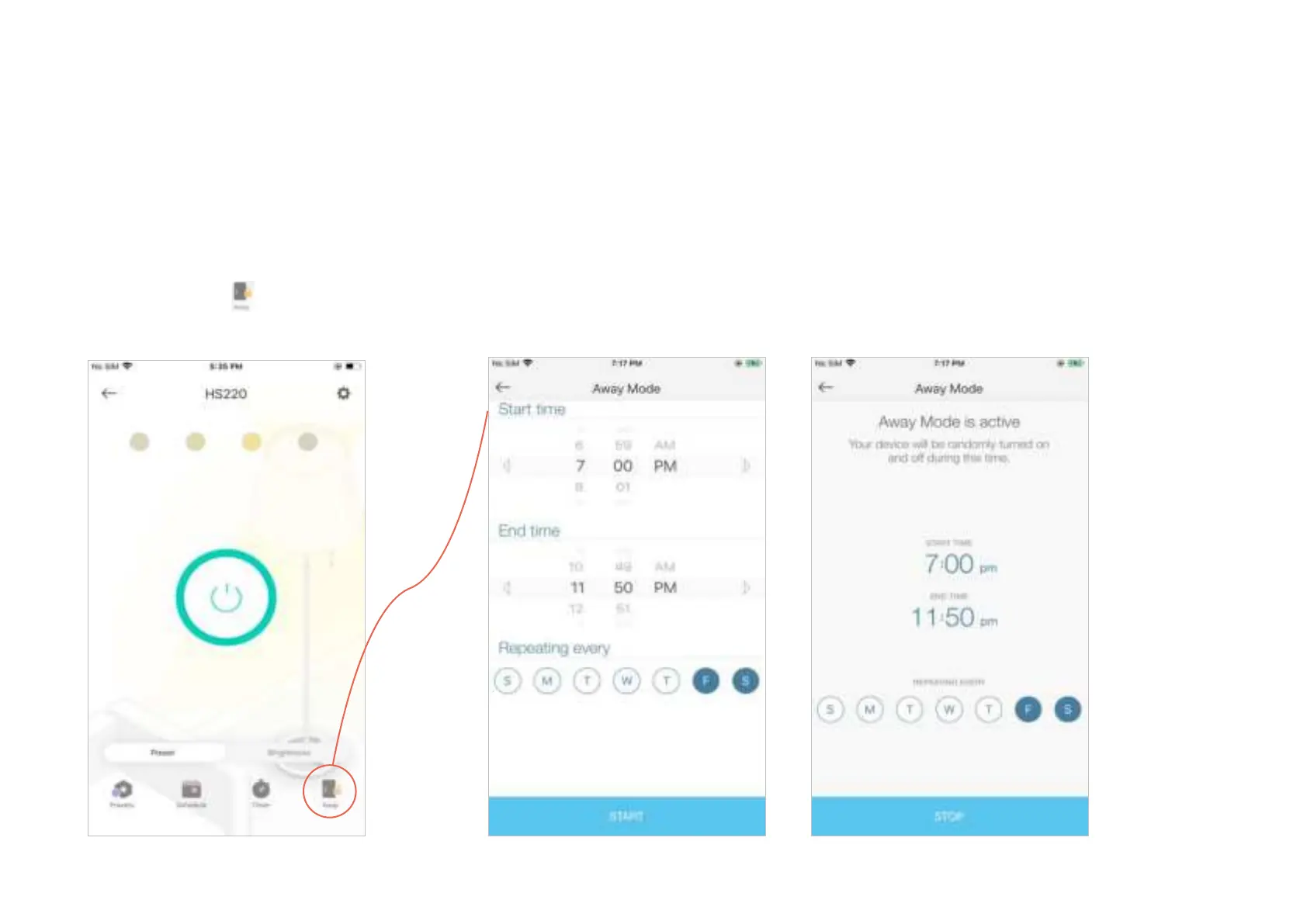
Set Away Mode for your Smart Dimmer to turn on/o the light automatically at random intervals
while you are away to make the appearance that someone is at home.
1. Tap your Smart Dimmer in the Home
page, and then tap
.
2. Set the start and end time during which the dimmer will be automatically turned on and o at
random intervals, and the repeating frequency.
e.g. I want the light to turn on and o between 7:00 PM to 11:50 PM every Friday and Saturday.











 To Next Page