21
Chapter 4
Set Up Internet Connection
Tips:
• You can also upgrade the supported ISP information. Refer to Upgrade Your ISP Information to configure.
• You can view all internet connections or edit connections that are set up manually on this page.
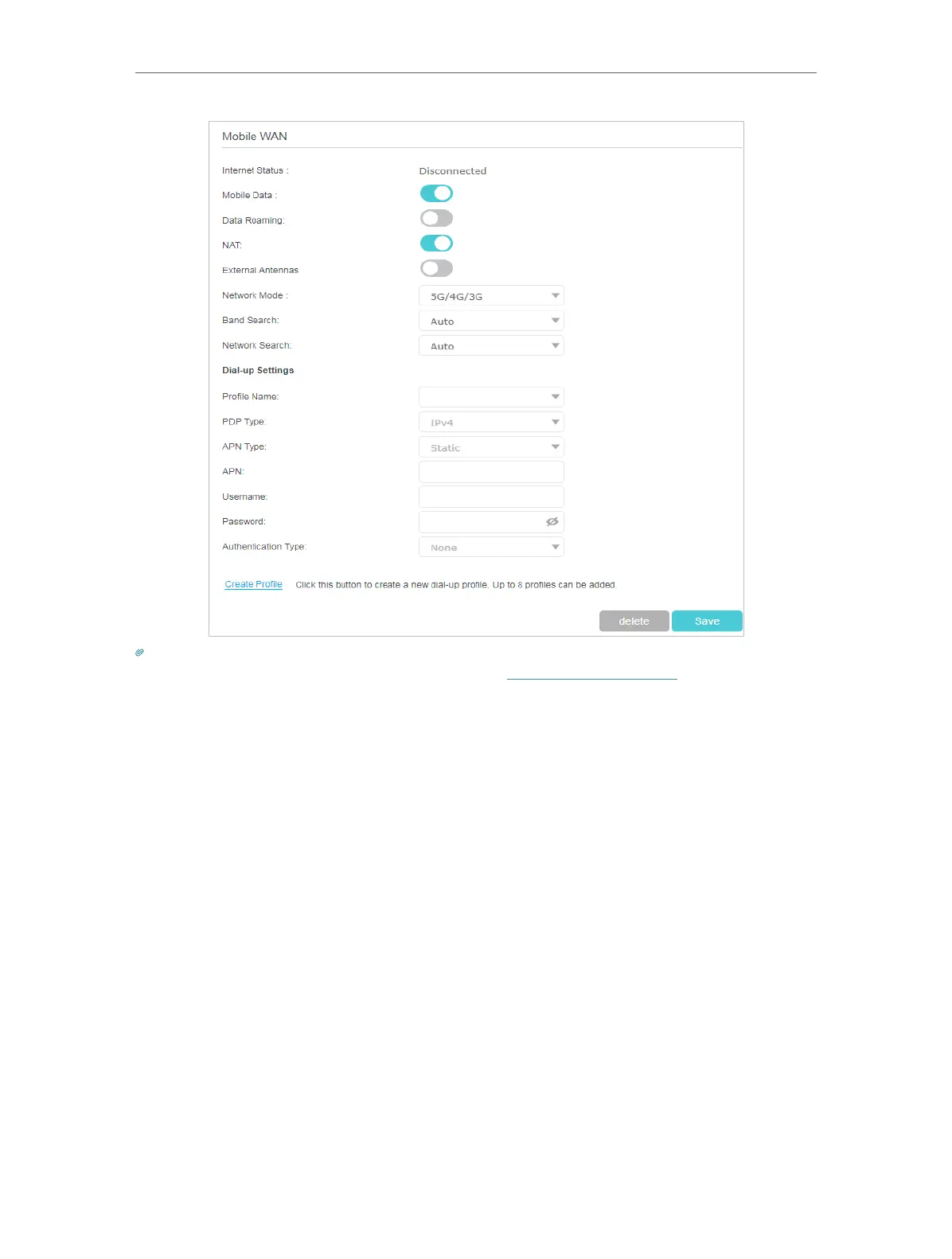
• You can change the Network Mode to 5G/4G/3G, 4G/3G, 5G Only, 4G Only or 3G according to your needs.
• You can manually select 5G and 4G bands in Band Search setting.
• If the Auto network connection displays a wrong ISP profile, you can select a correct network manually:
1. Change the Network Search mode to Manual.
2. When prompted, select the correct ISP network and click Save.
3. Click Create Profile.
4. Specify the Profile Name, Username and Password. Select the PDP Type, APN Type
and Authentication Type according to your ISP.


 To Next Page