22
Chapter 4
Set Up Internet Connection
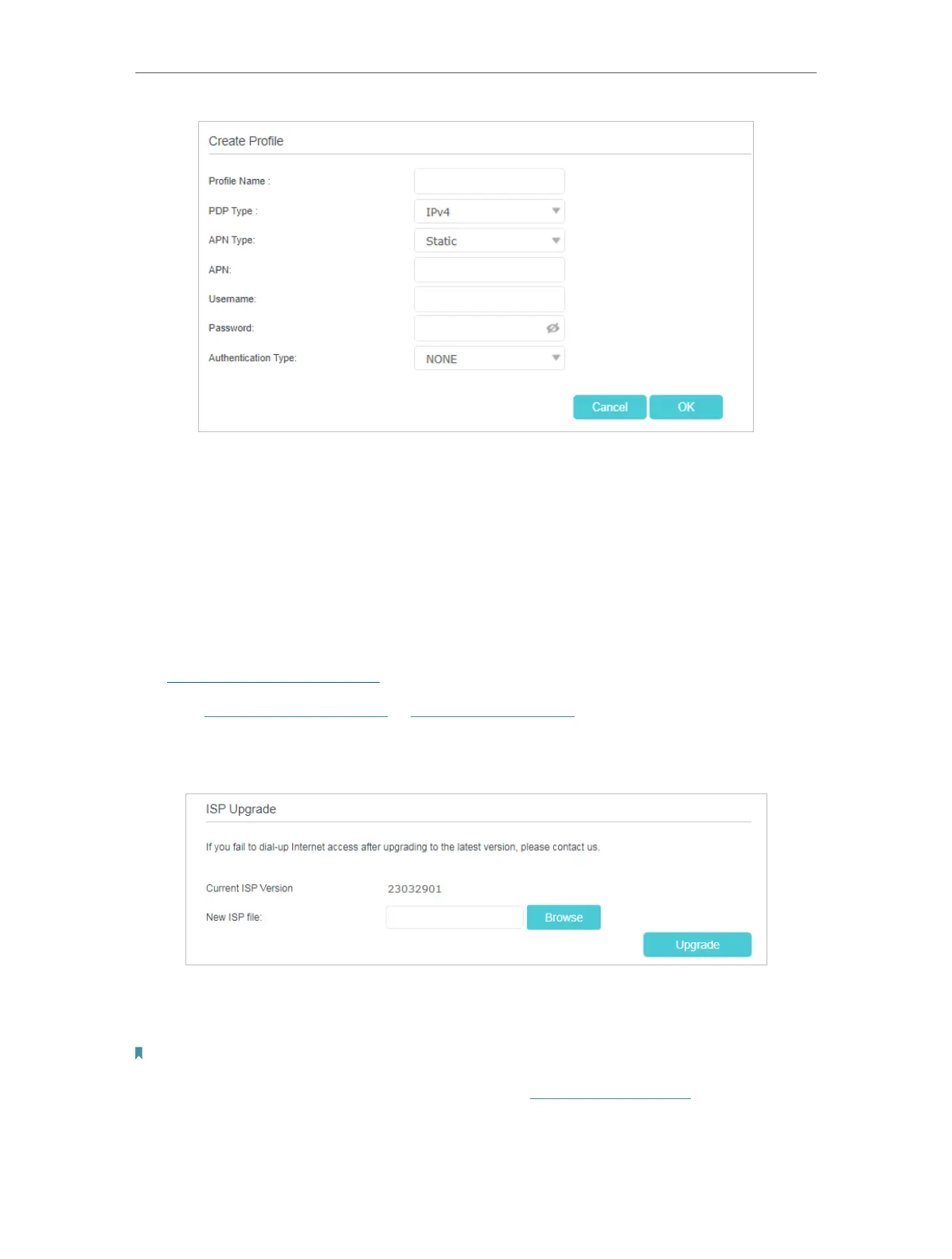
5. Click OK to make the settings effective and the new profile will be used to set up a
new connection.
4. 5. Upgrade Your ISP Information
If your ISP information is not detected by the router, you can upgrade ISP information
by following the steps below:
1. Download the latest ISP upgrade file from the Support page at
https://www.tp-link.com to your computer.
2. Visit http://tplinkmodem.net or http://192.168.254.1, and log in with your TP-Link ID
or the password you set for the router.
3. Go to Advanced > Network > ISP Upgrade.
4. Click Browse to locate and select the latest file.
5. Click Upgrade.
Note:
1. If you fail to dial-up Internet access after upgrading to the latest version, please contact the technical support.
2. If your ISP settings are still not detected after upgrading, refer to Create a Connection Profile to add a new internet
connection profile.











 To Next Page